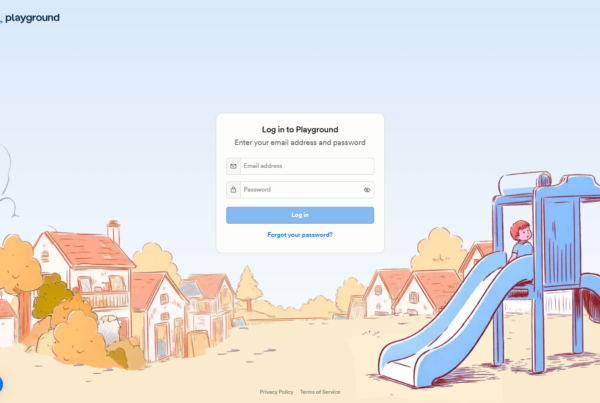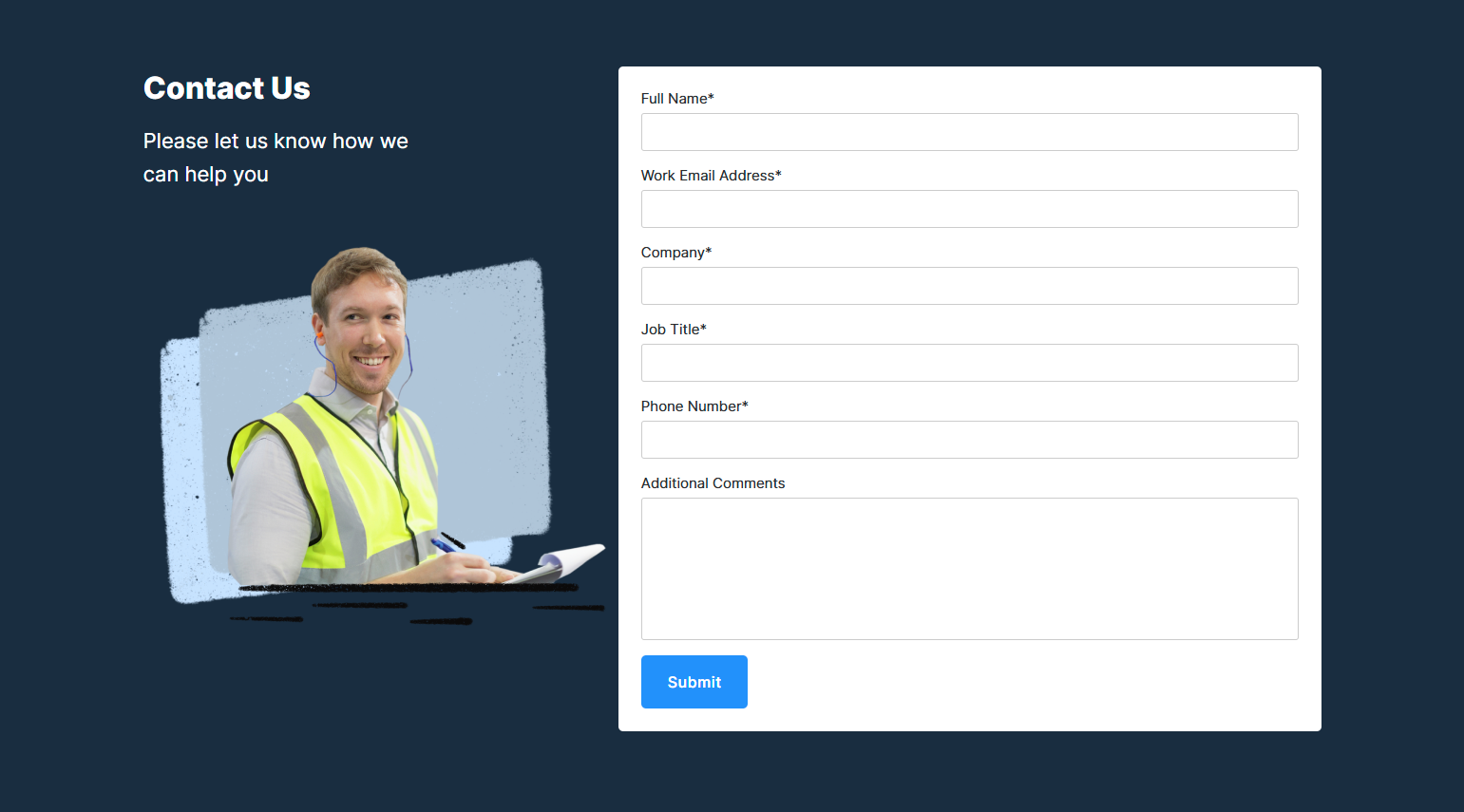
A SaaS contact sales page is the entry point for prospects who want to speak with a sales representative before purchasing. It typically includes a qualification form (company size, use case, team), a description of what to expect (demo, call, trial), and — in the best implementations — an embedded calendar for immediate booking. The contact sales page is the bridge between marketing intent and sales execution: how well it converts determines whether your marketing investment reaches your revenue pipeline.
We analyzed 167 contact sales screenshots across 258 SaaS products in the SaaS Boat library. The range is wide: from multi-field enterprise qualification forms that take 3 minutes to complete, to embedded calendars where prospects book in 20 seconds.
 Chargebee
 Gong
Gong Rippling
 Chili Piper
 Calendly
 Amplitude
 Lattice
 GitLab
 Datadog
 CrowdStrike
 Intercom
 Hotjar
 Stripe
 Auth0
Auth0 Close
Close Figma
Figma Notion
 Zapier
 Loom
Loom Vercel
Why Contact Sales Pages Underperform
The most common failure on contact sales pages is friction mismatch: the prospect has decided to talk to sales, but the form creates enough friction to reverse the decision. A 15-field form, a CAPTCHA, a 5-business-day response promise, and no indication of what happens next all signal that talking to sales is going to be slow and painful.
The second failure is qualification theater — asking questions the sales team doesn’t act on. If a prospect says “I have 5,000 employees” but gets the same demo sequence as someone with 50 employees, the form fields signal that the company isn’t actually listening.
25 Contact Sales Examples from Real SaaS Products
Calendar-First Contact Pages
1. Chargebee — Embedded calendar, no form
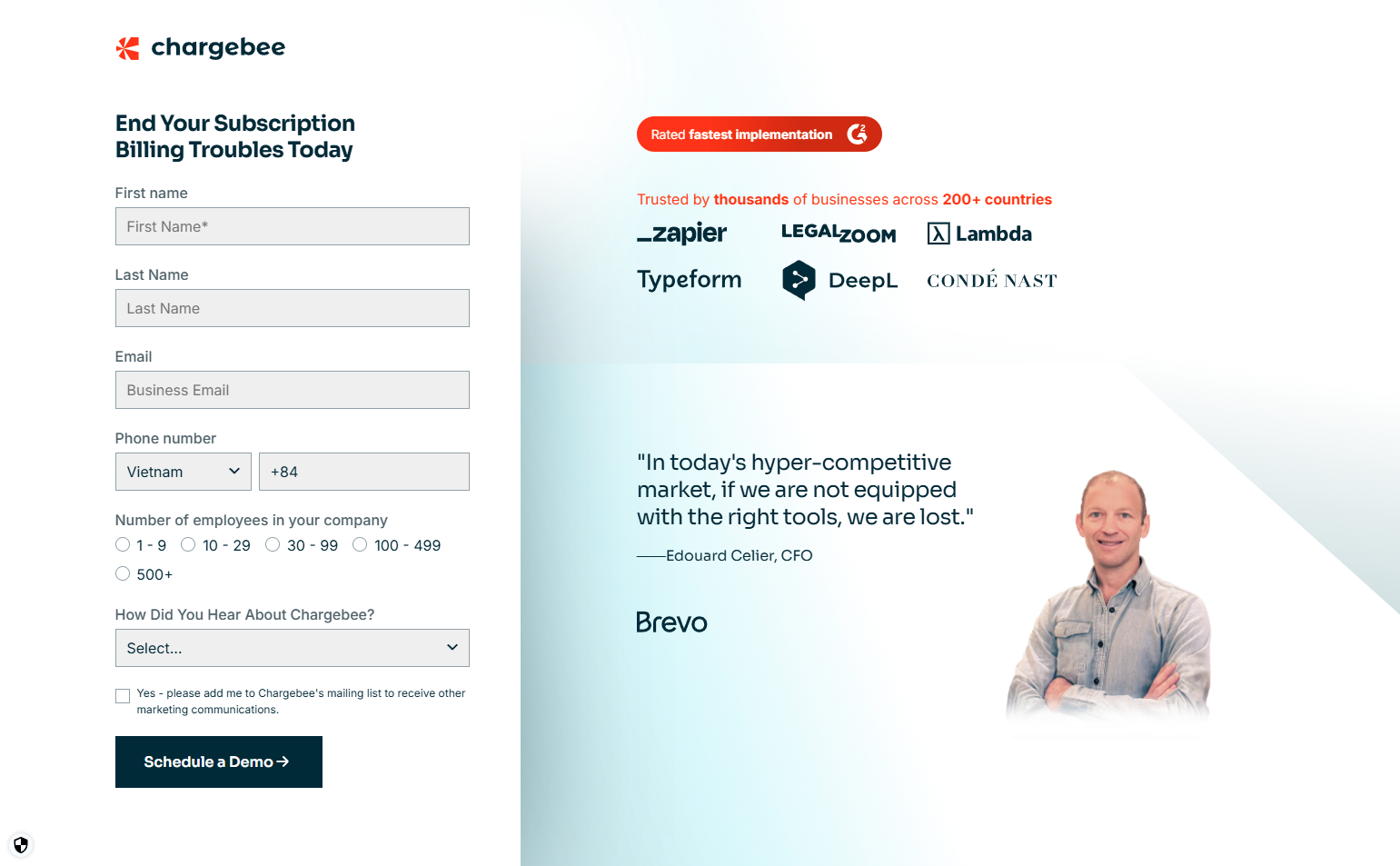
Chargebee’s enterprise contact page skips the form entirely — a Calendly-powered calendar is embedded directly on the page. Prospects pick a time and book immediately. No “we’ll be in touch.” For a product with transparent pricing, qualification happens on the call, not before it.
2. Gong — Post-form calendar embedding
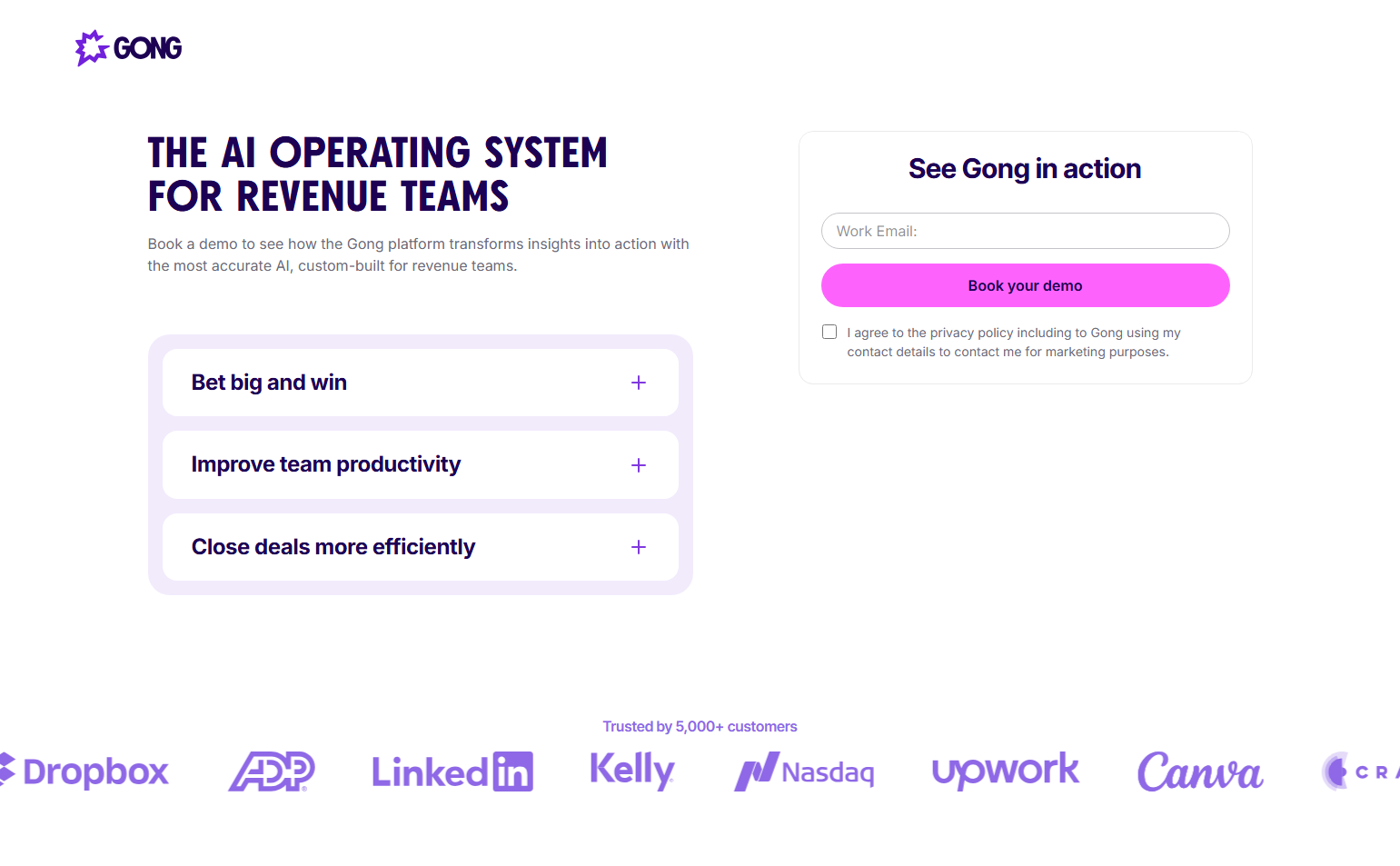
Gong’s contact page has a brief qualification form (name, email, company size, role), and immediately after submission, a scheduling calendar appears on the same page. The form is the only gate; booking happens instantly. Zero wait between interest and scheduled meeting.
3. Rippling — Demo booking as the product page CTA
Rippling’s contact sales path doesn’t use a separate “contact” page — “See Rippling” links directly to a scheduling form that opens a calendar. The sales motion is: express interest → book a time → attend demo. No intermediate wait state.
4. Chili Piper — Using their own product for contact
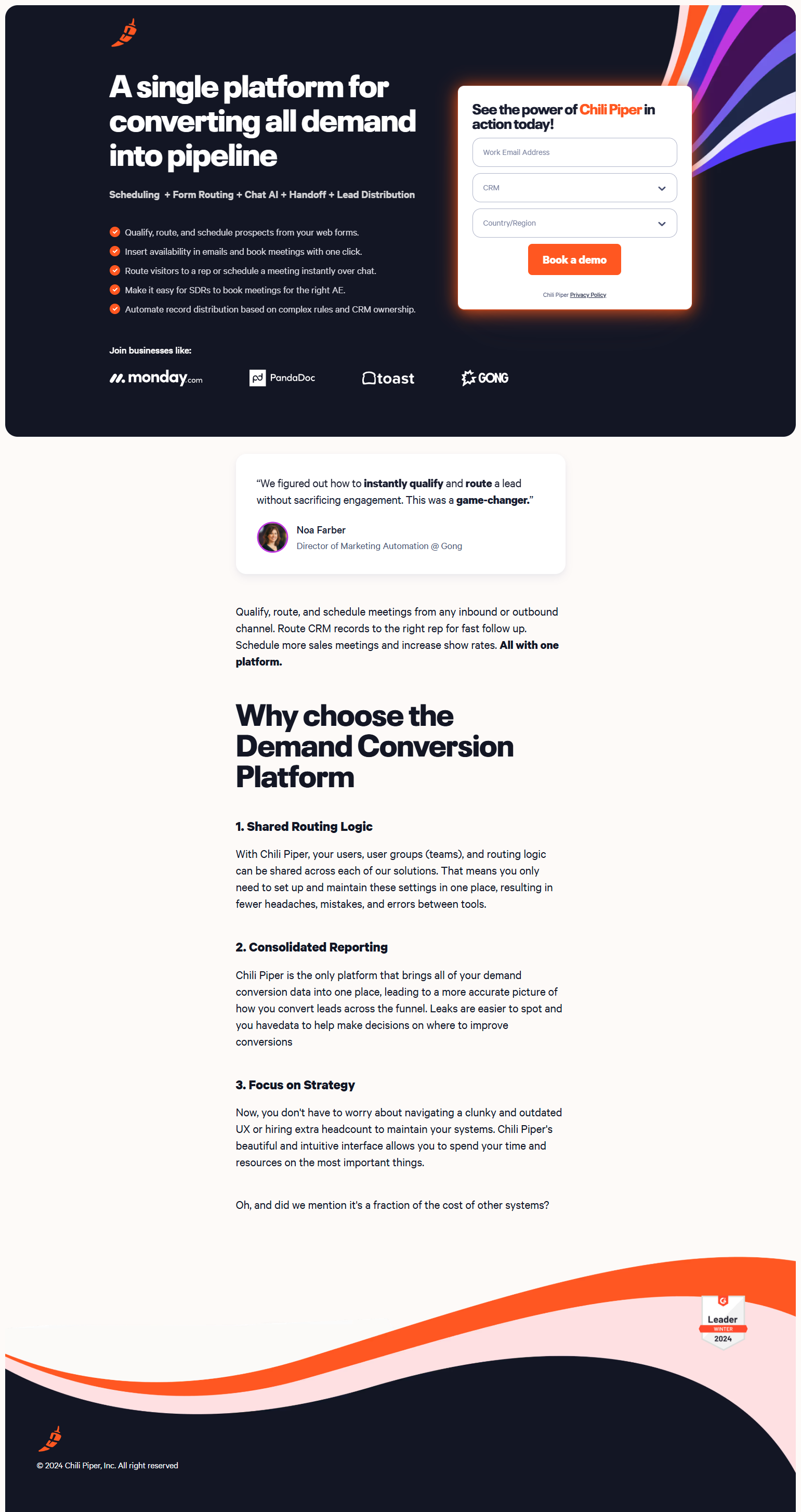
Chili Piper (a meeting scheduling tool) uses their own product to handle demo requests. The “Book a meeting” button opens their instant booker — showing the product in action at the moment a prospect wants to evaluate it. Product-as-demo is the most credible demonstration.
5. Calendly — Contact form that routes to AE calendar
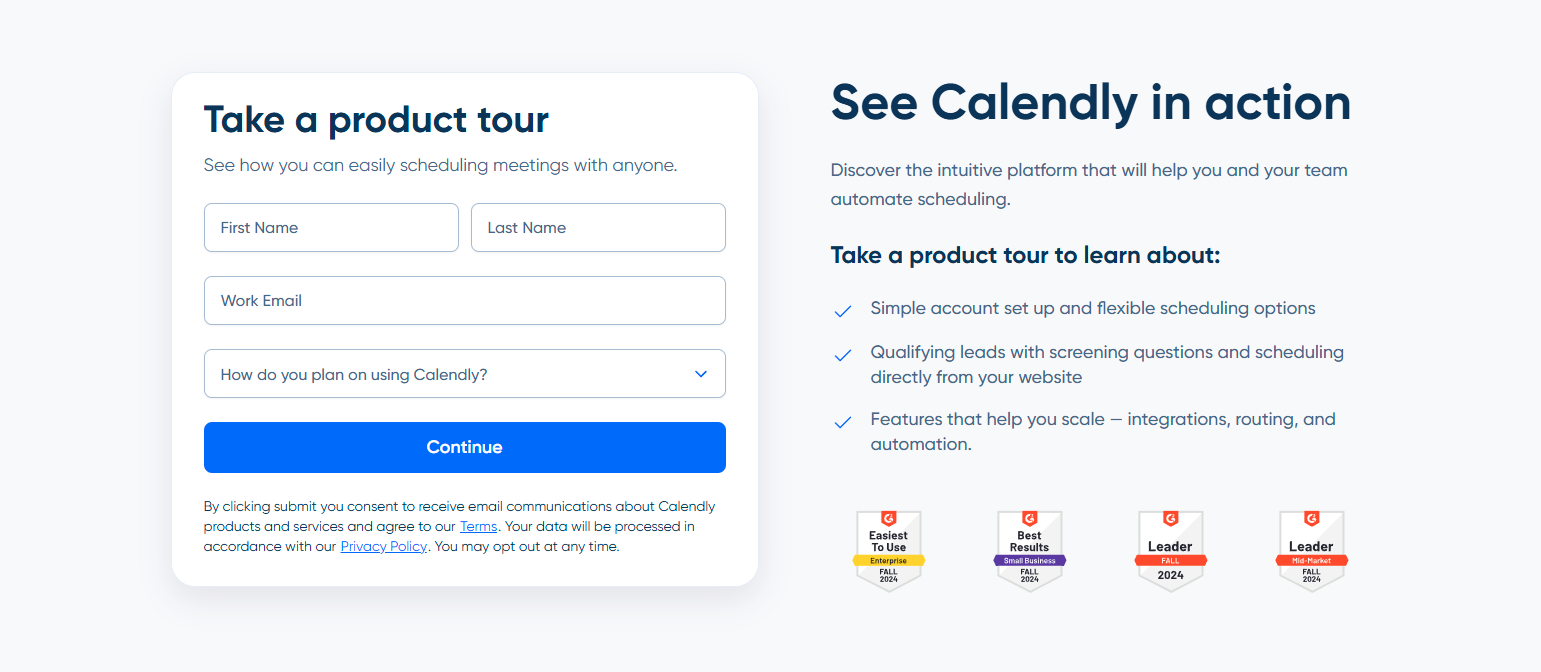
Calendly’s enterprise contact form ends with AE calendar availability inline. The thank-you state isn’t a confirmation page — it’s the AE’s calendar. Immediate scheduling removes the first asynchronous step from the sales process.
Qualification-Forward Contact Pages
6. Amplitude — Segmentation at the form level
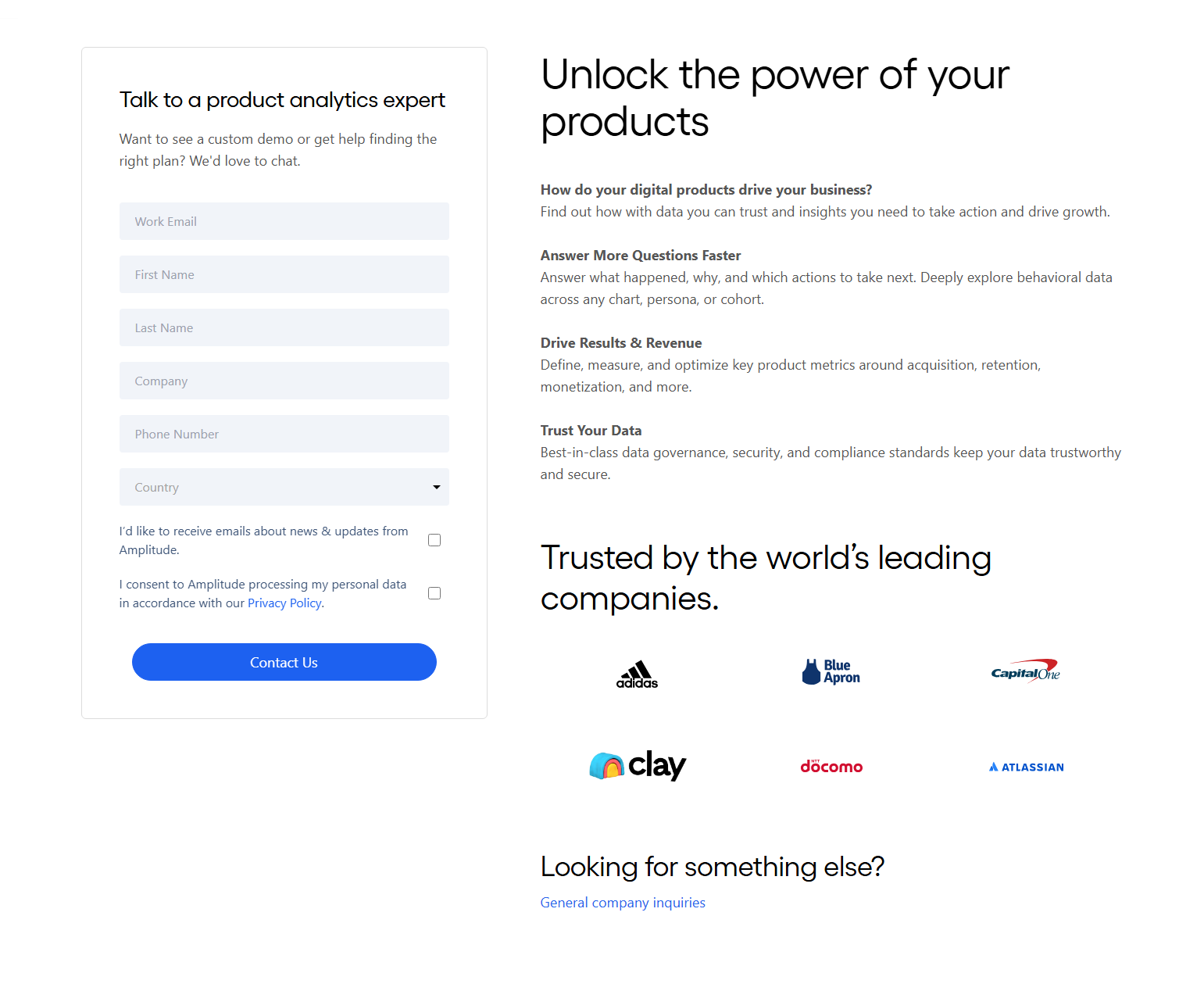
Amplitude’s contact form asks: data volume, team size, use case, and current analytics tool. The answers route to different sales tracks: enterprise AE, mid-market rep, or self-serve recommendation. Users who don’t qualify for direct sales get a graceful redirect to the free tier.
7. Lattice — Role-based demo routing
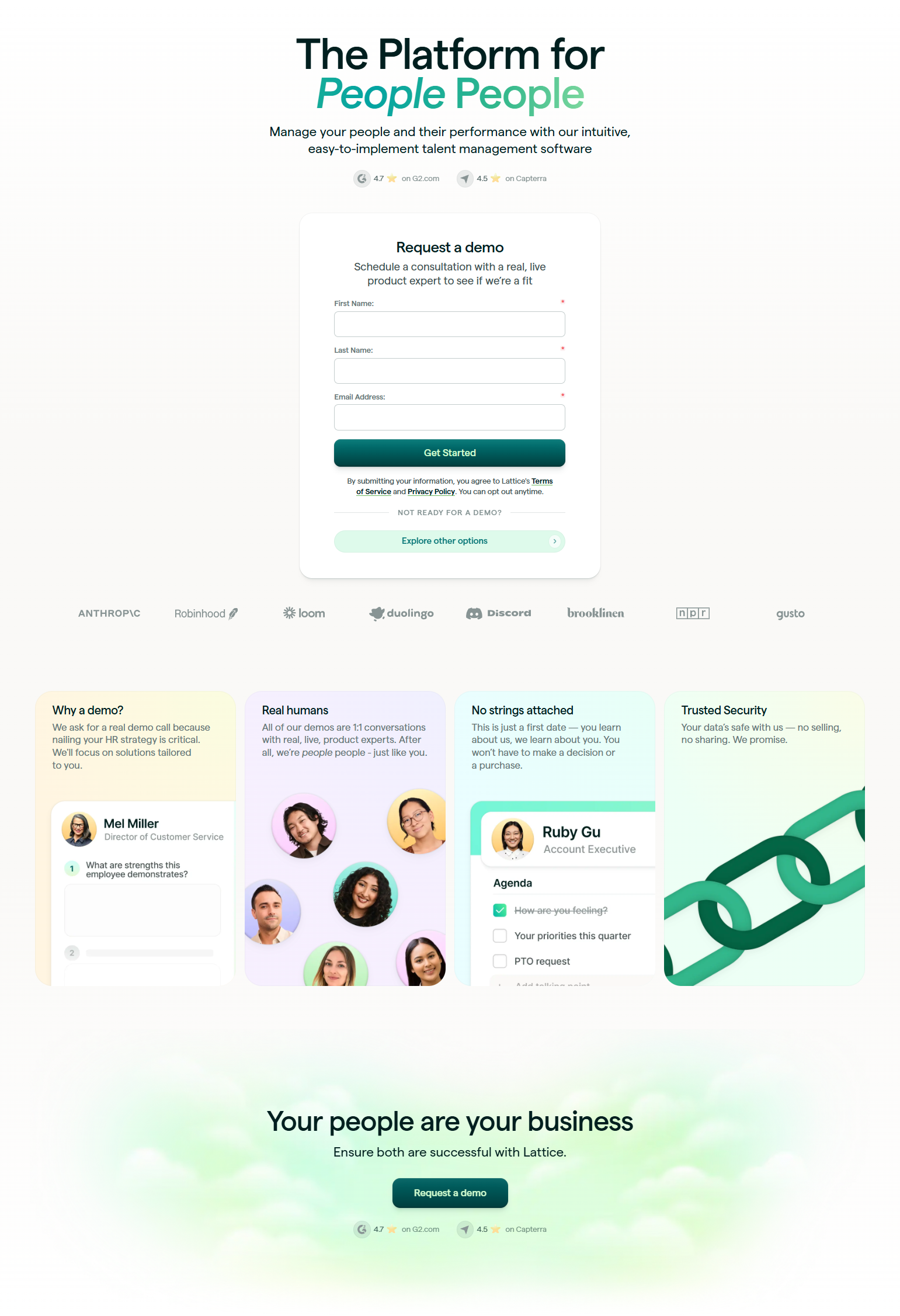
Lattice’s contact form asks for role (HR Leader, C-Suite, People Ops) alongside company info. The role question determines which demo the prospect receives: an HR practitioner gets a deep-dive on performance reviews; an executive gets a business case overview. Segmentation before the first call.
8. GitLab — Sales-assisted trial as the contact form
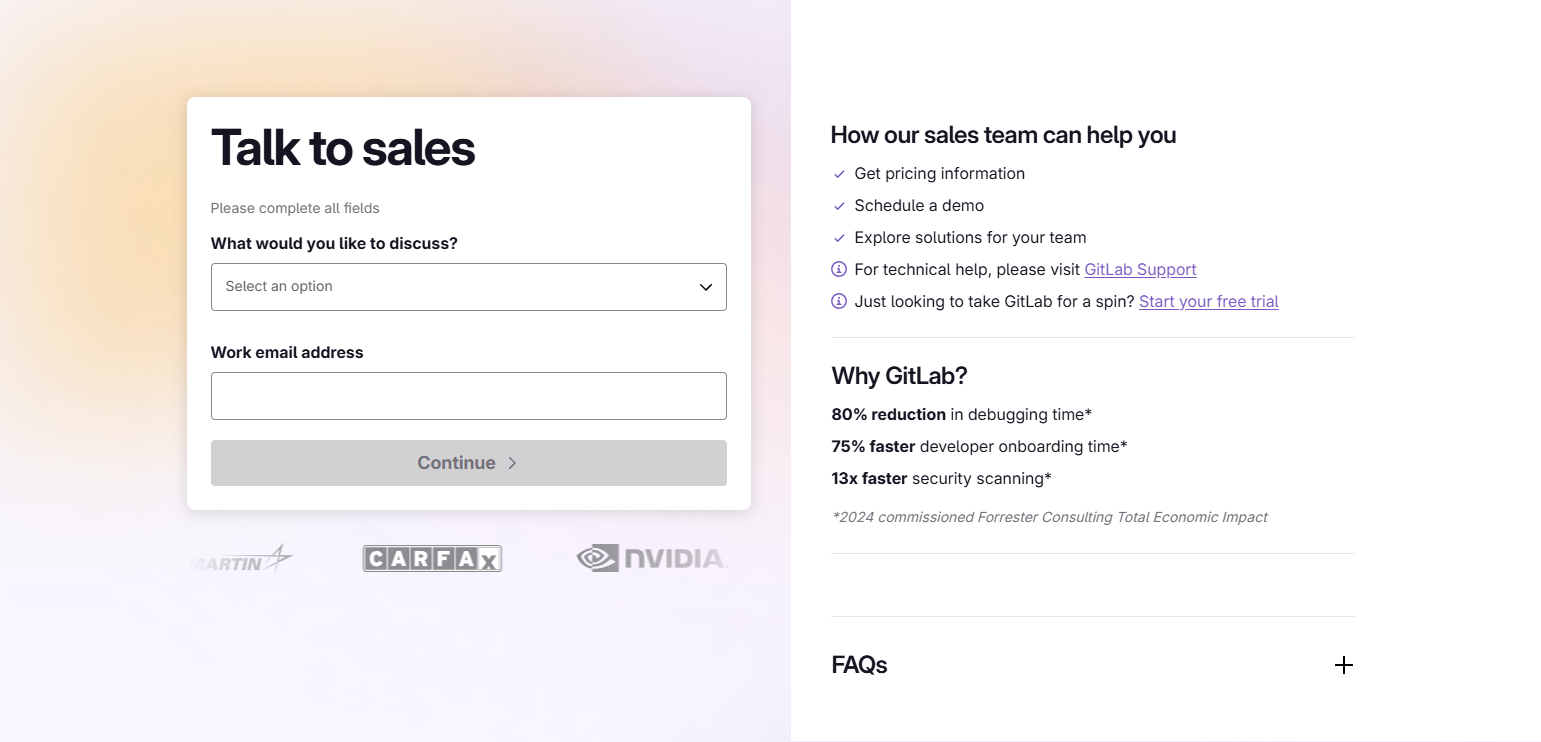
GitLab’s enterprise contact path positions itself as a “Sales-assisted trial” — the form leads to a trial, not just a call. This sets a more specific expectation: the prospect will try the product with help, not just be pitched. Trial framing increases the perceived value of submitting.
9. Datadog — Self-serve vs. enterprise split
Datadog’s pricing page splits immediately: “Start free trial” for self-serve (no form), and “Contact us” for enterprise. The enterprise form asks about infrastructure scale and team size. The routing happens before the form, so users self-select the correct path.
10. CrowdStrike — Reseller vs. direct routing
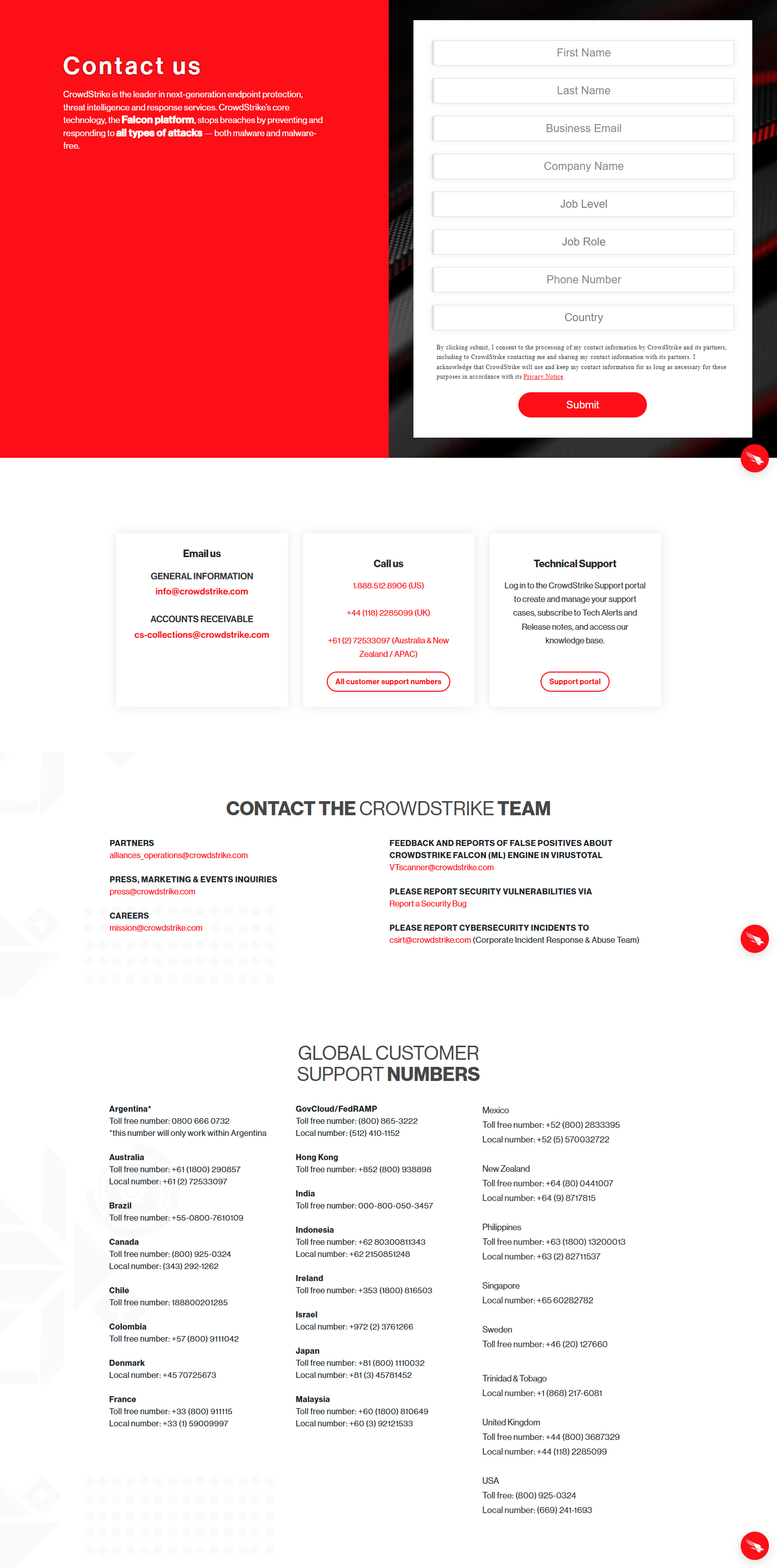
CrowdStrike’s contact page routes by customer type: SMB customers go to their authorized reseller network; enterprise customers get direct AE contact. The routing is explicit — prospects see which path they’re on before filling the form.
Expectation-Setting Contact Pages
11. Intercom — “What happens next” transparency
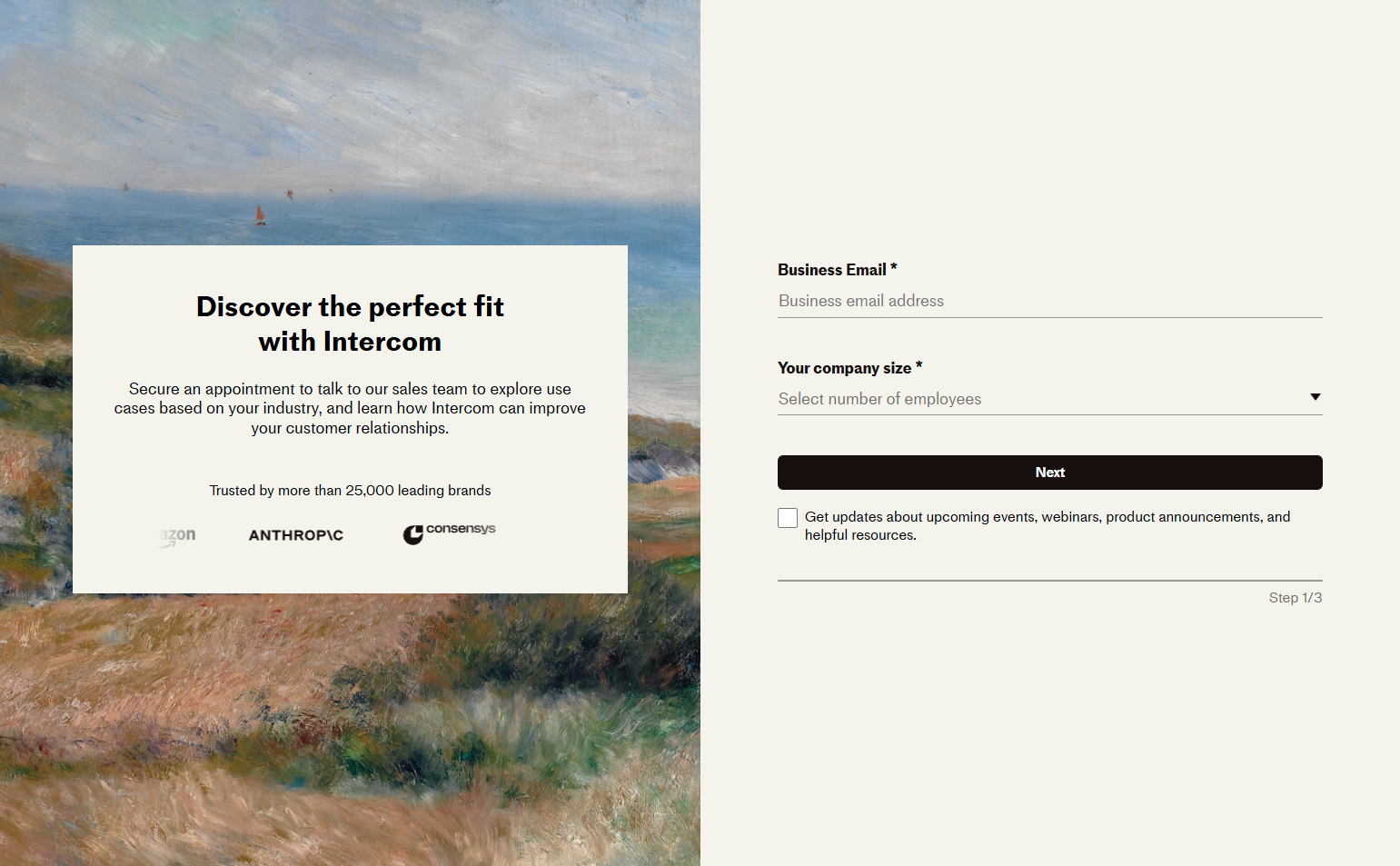
Intercom’s contact page includes a “What happens next” section: step 1 (submit form), step 2 (receive email within 1 hour), step 3 (demo scheduled, 30 minutes). Setting explicit expectations about response time and what the demo involves reduces prospect anxiety about the black box of “contacting sales.”
12. Hotjar — Size segmentation on the contact page
Hotjar’s contact page splits into two visible tracks: “Small teams (under 50 people)” get a self-serve path; “Enterprise teams” get a form. The split is visible and respects the prospect’s self-knowledge. No misrouting.
13. Stripe — Documentation-first deflection
Stripe’s contact page for pre-sales technical questions leads with documentation: “Many questions are answered in our docs.” The form is below. This is appropriate for Stripe — most pre-sales questions are integration questions that documentation answers faster than a sales call.
14. Auth0 — Community before sales
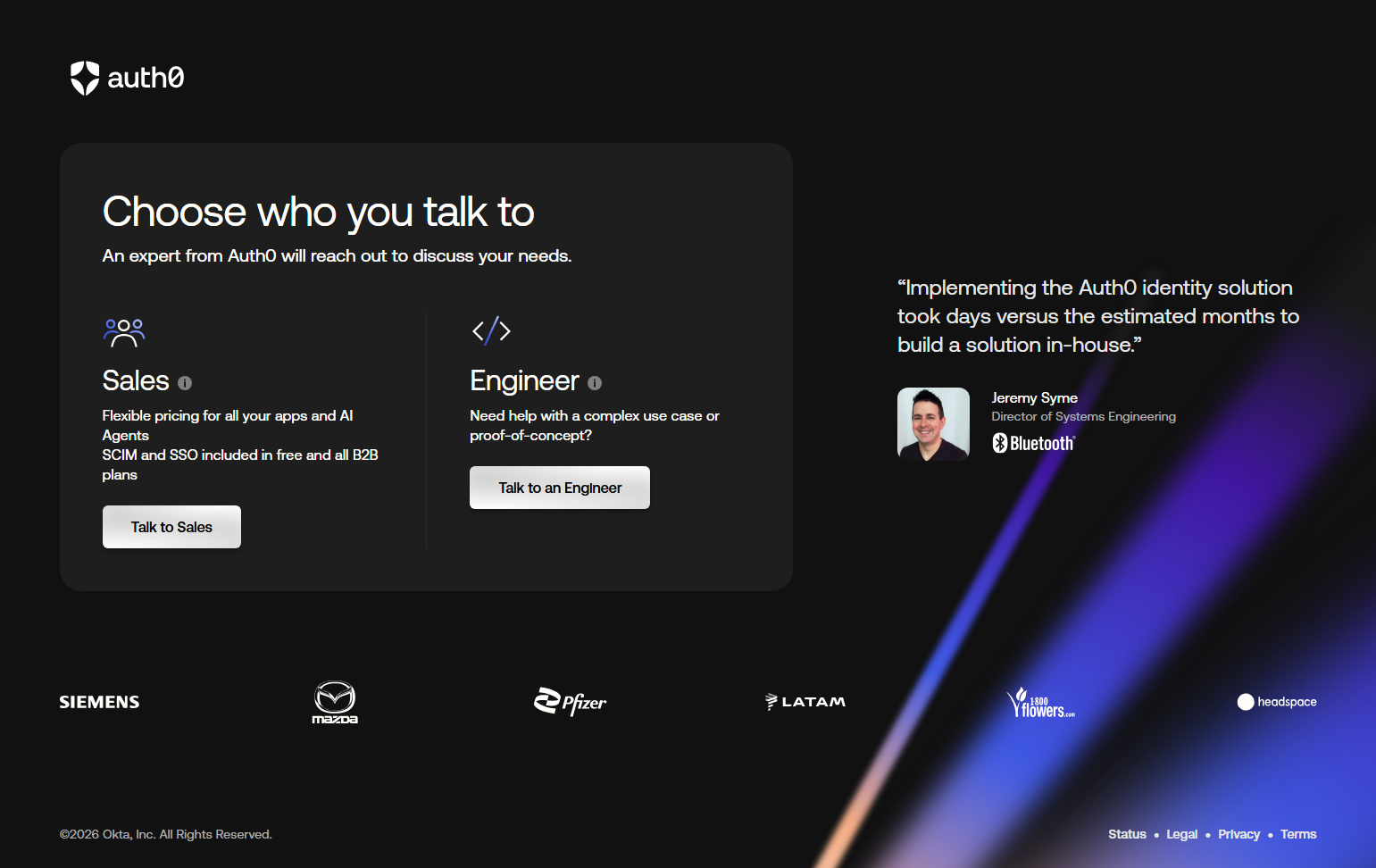
Auth0’s contact page surfaces their developer community forum before the sales contact form. Developers may find answers faster in a community thread than by waiting for a sales response. Routing to the community first respects the developer’s preference for self-service.
15. Close — Minimal form for sales-focused buyers
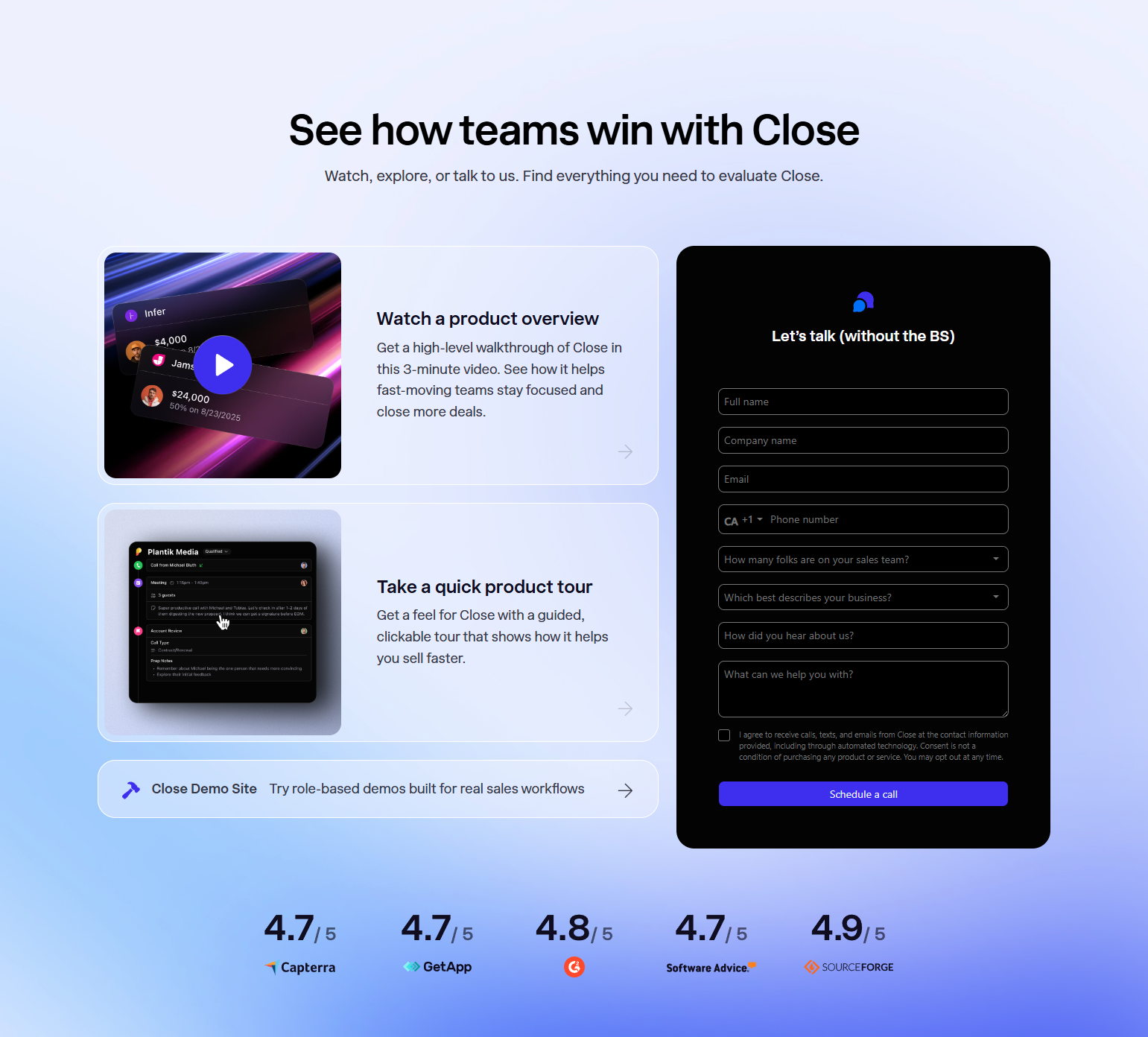
Close’s contact page (a CRM for small sales teams) is minimal: name, email, company, question. Four fields. For a product that sells to sales teams — who understand sales friction better than anyone — a short form is a trust signal. “We respect your time. We get it.”
Trust-Building Contact Pages
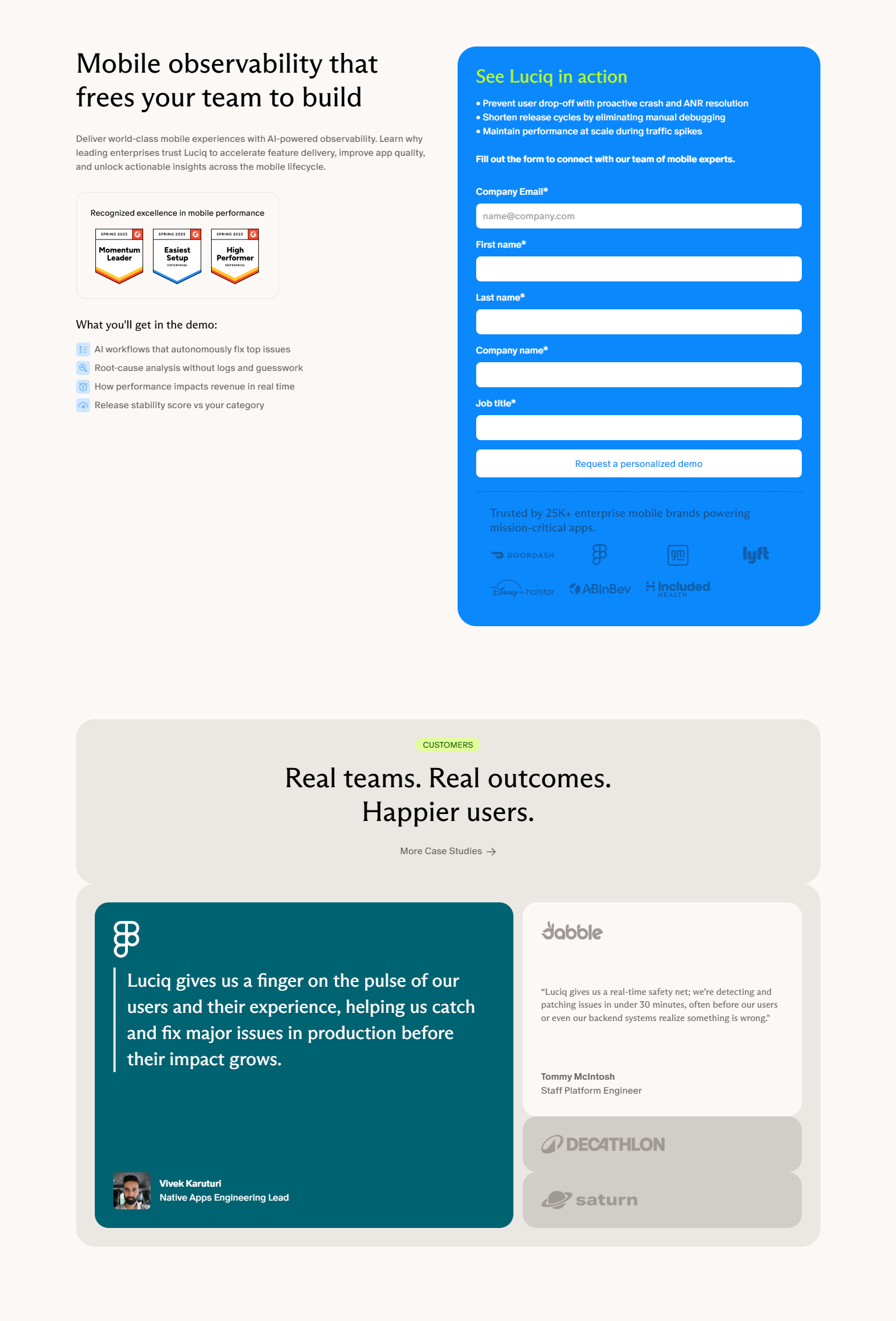
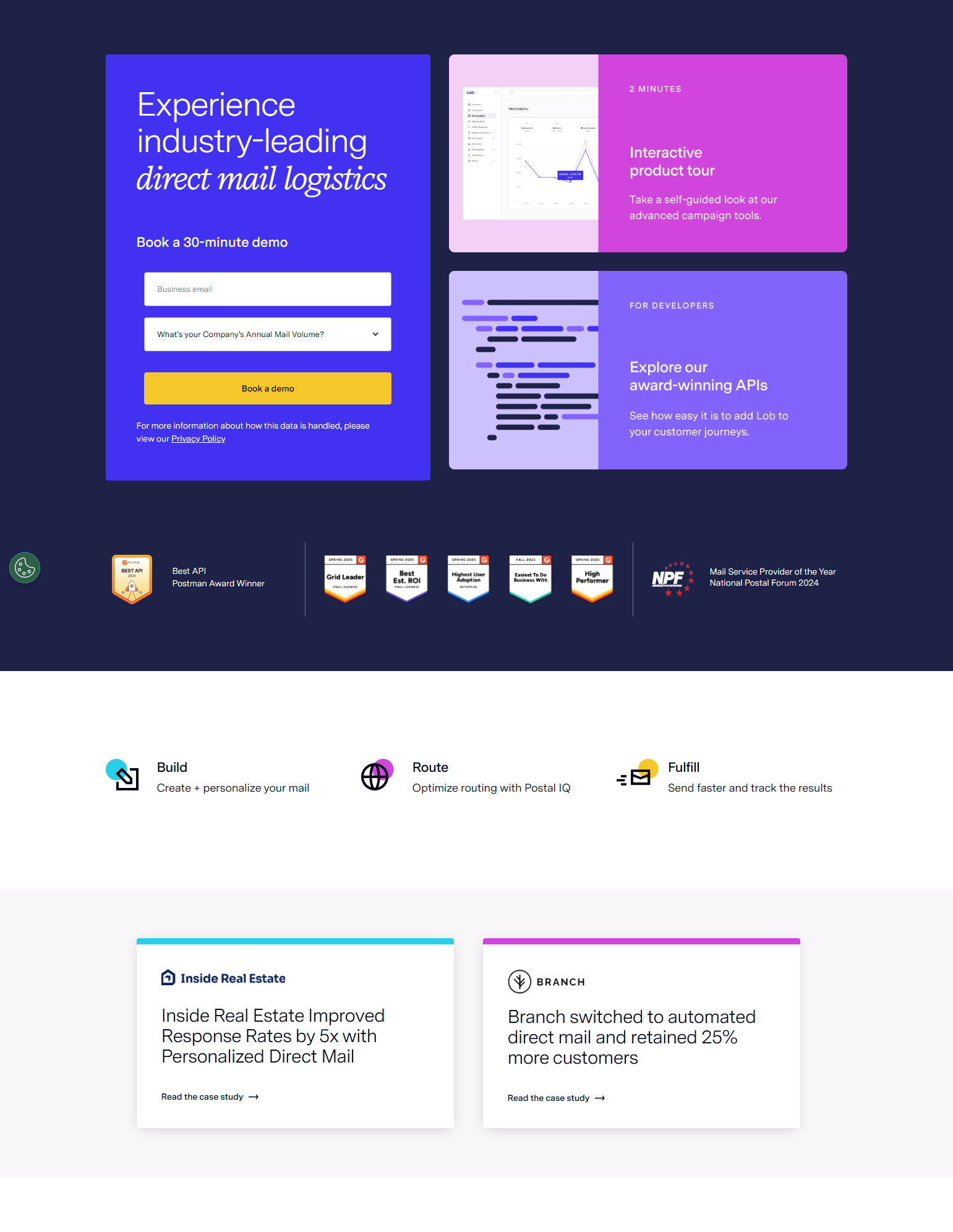
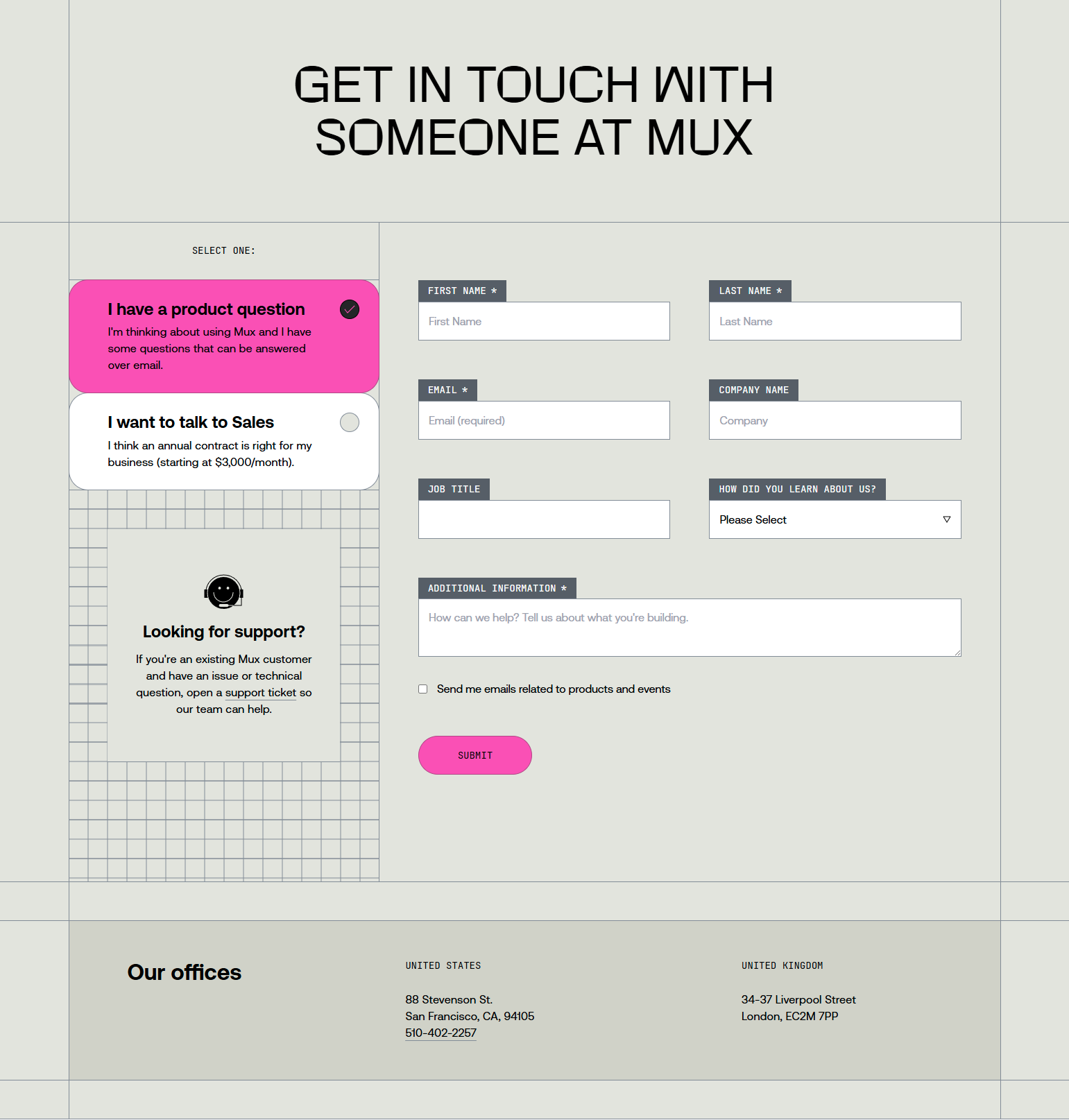
16. Figma — Enterprise use-case framing
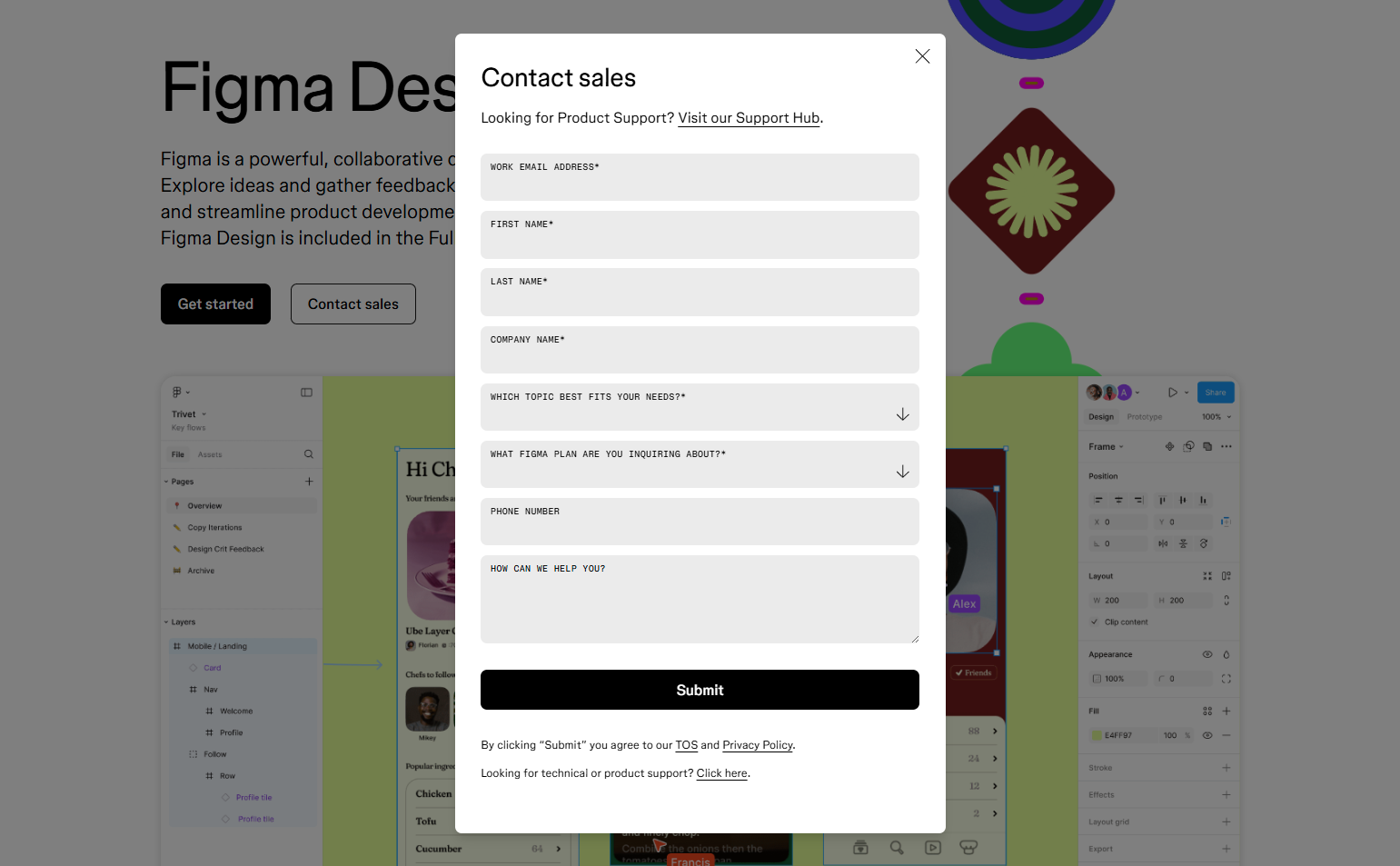
Figma’s contact sales page lists enterprise-specific use cases: “For design teams at scale,” “Supports single sign-on,” “Custom contract terms.” The framing isn’t “contact us” — it’s “here’s why enterprise teams talk to us specifically.” Framing the contact page around enterprise value reduces the impression that it’s just a lead gen form.
17. Notion — “For teams of all sizes”
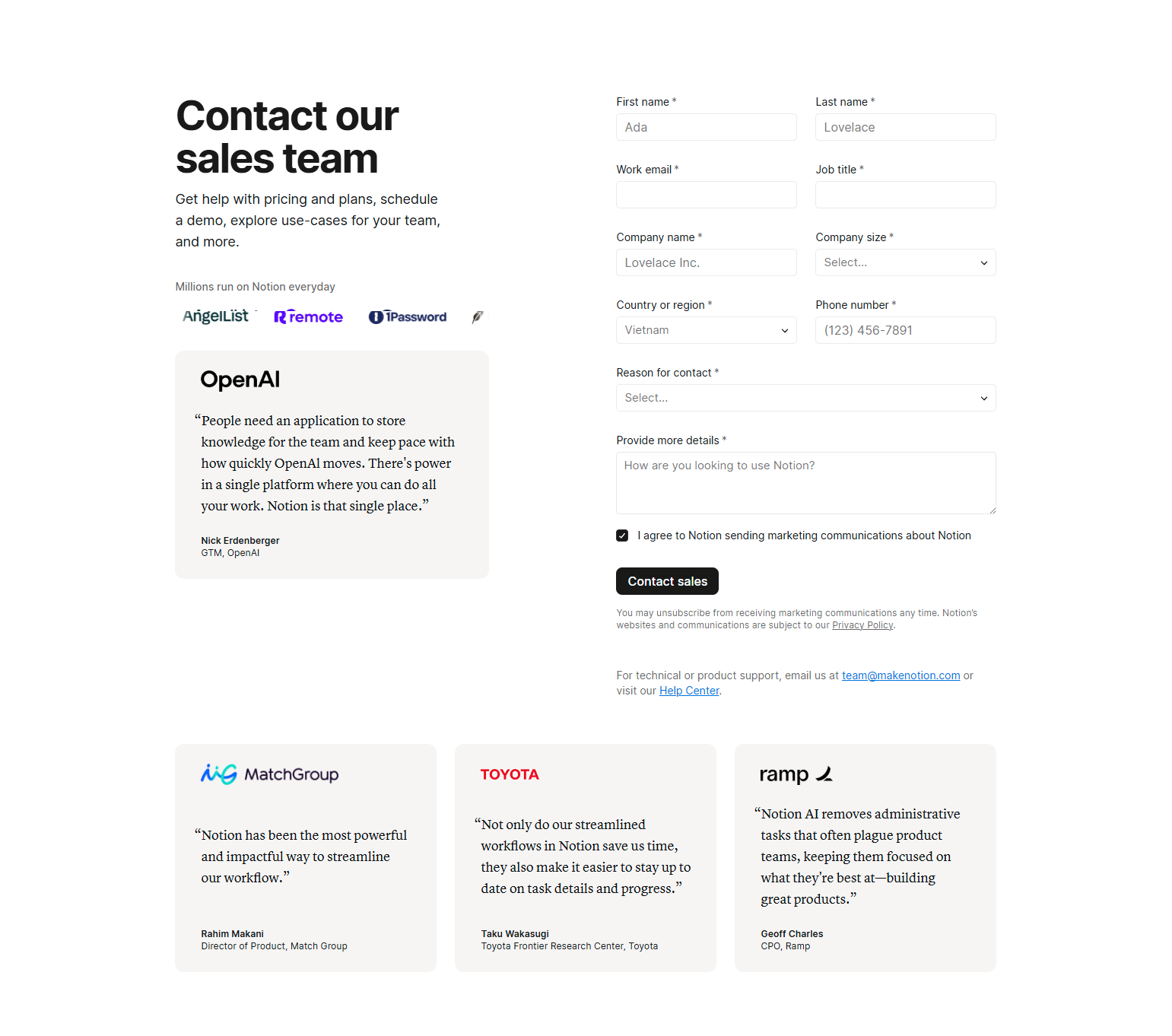
Notion’s contact page contextualizes enterprise features alongside the contact form: advanced permissions, SAML SSO, audit logs, customer success manager. The features listed validate the prospect’s reason for contacting sales rather than just self-serving.
18. Asana — Case study social proof on contact page
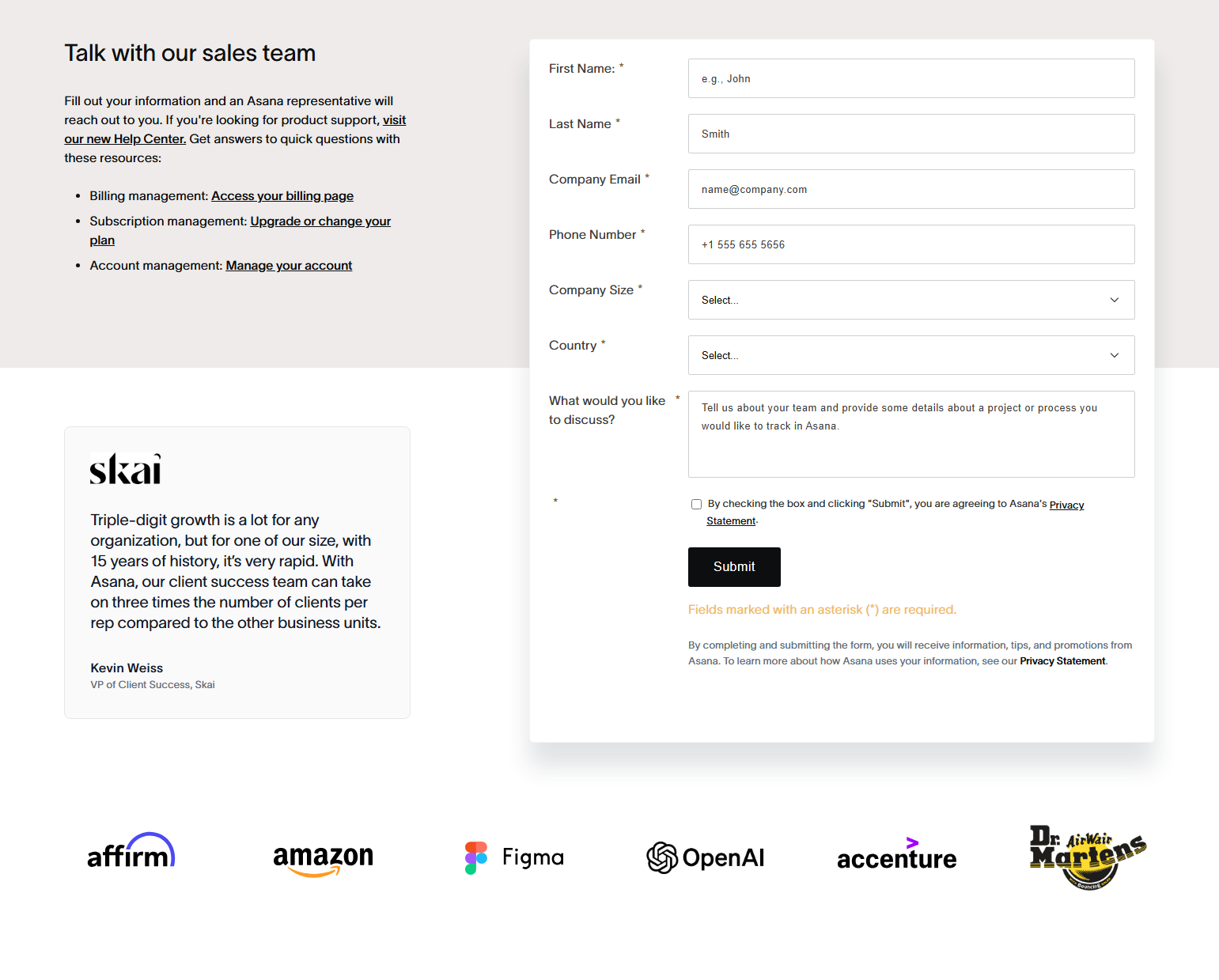
Asana’s enterprise contact page includes 2-3 case study quotes from known brands. Social proof on the contact page reduces the last-moment hesitation: “Other enterprise teams I recognize use this, so it’s safe to proceed.”
19. Zapier — Team plan features adjacent to the form
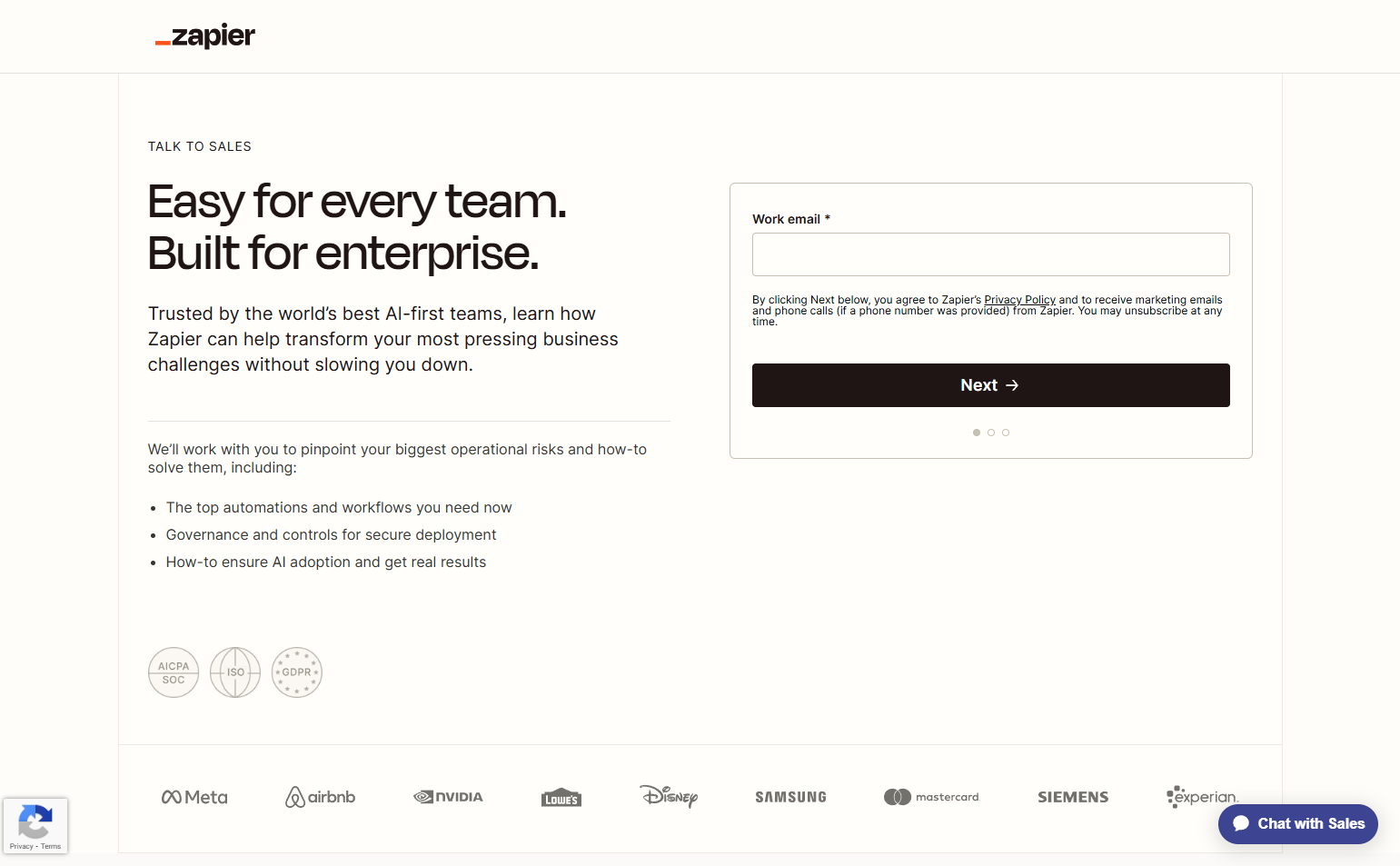
Zapier’s contact page lists team-specific features (unlimited Zaps, advanced admin controls, priority support) alongside the form. The feature context reminds prospects why they’re talking to sales in the first place — reinforcing the value before they hit submit.
20. Loom — “Start your conversation” framing
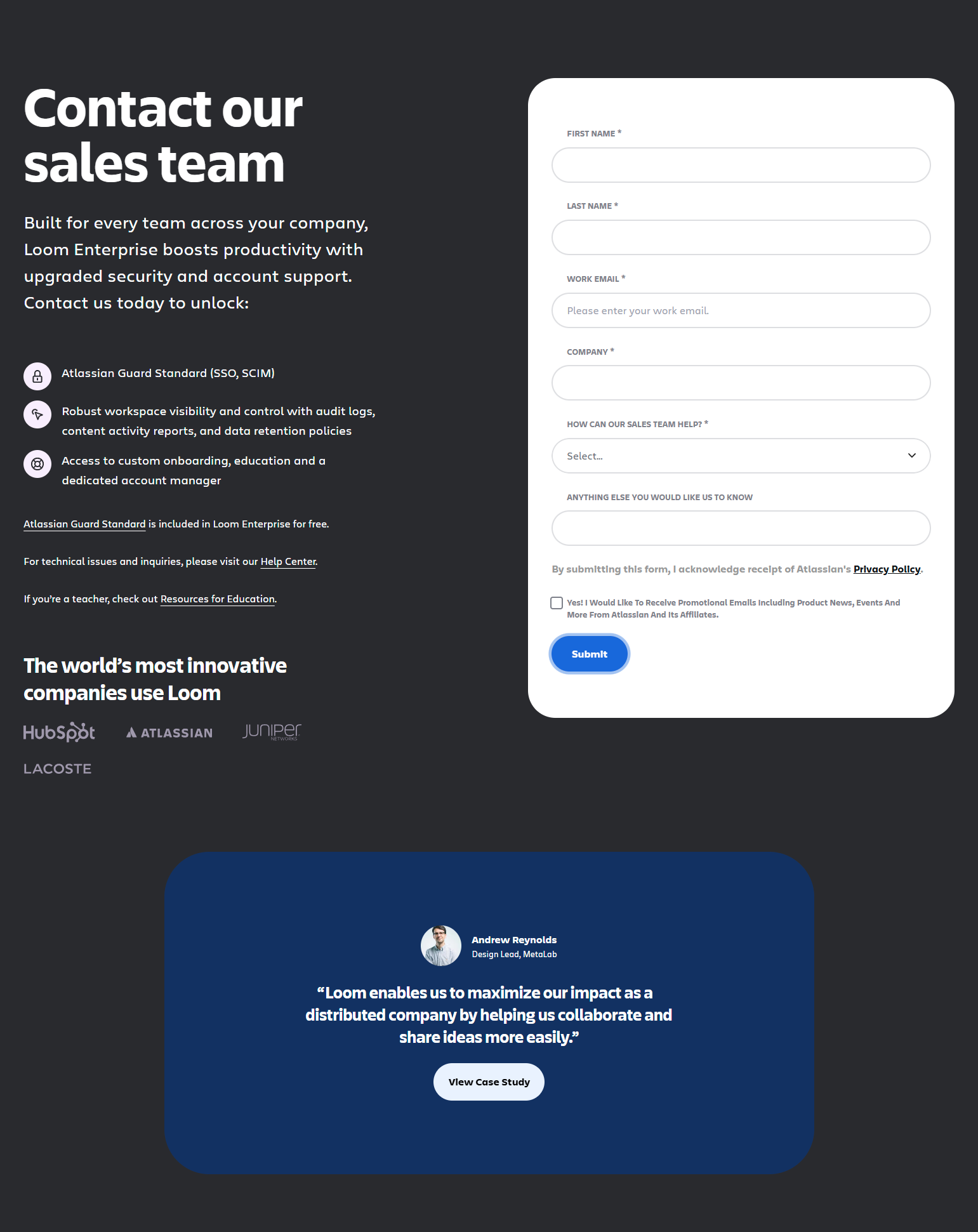
Loom’s enterprise contact page uses “Start your conversation” as the section header. The framing implies dialogue rather than submission — you’re initiating a conversation, not submitting a ticket. Vocabulary choices on contact pages affect whether the act of contacting feels collaborative or bureaucratic.
Developer-Oriented Contact Pages
21. Vercel — Minimal enterprise contact
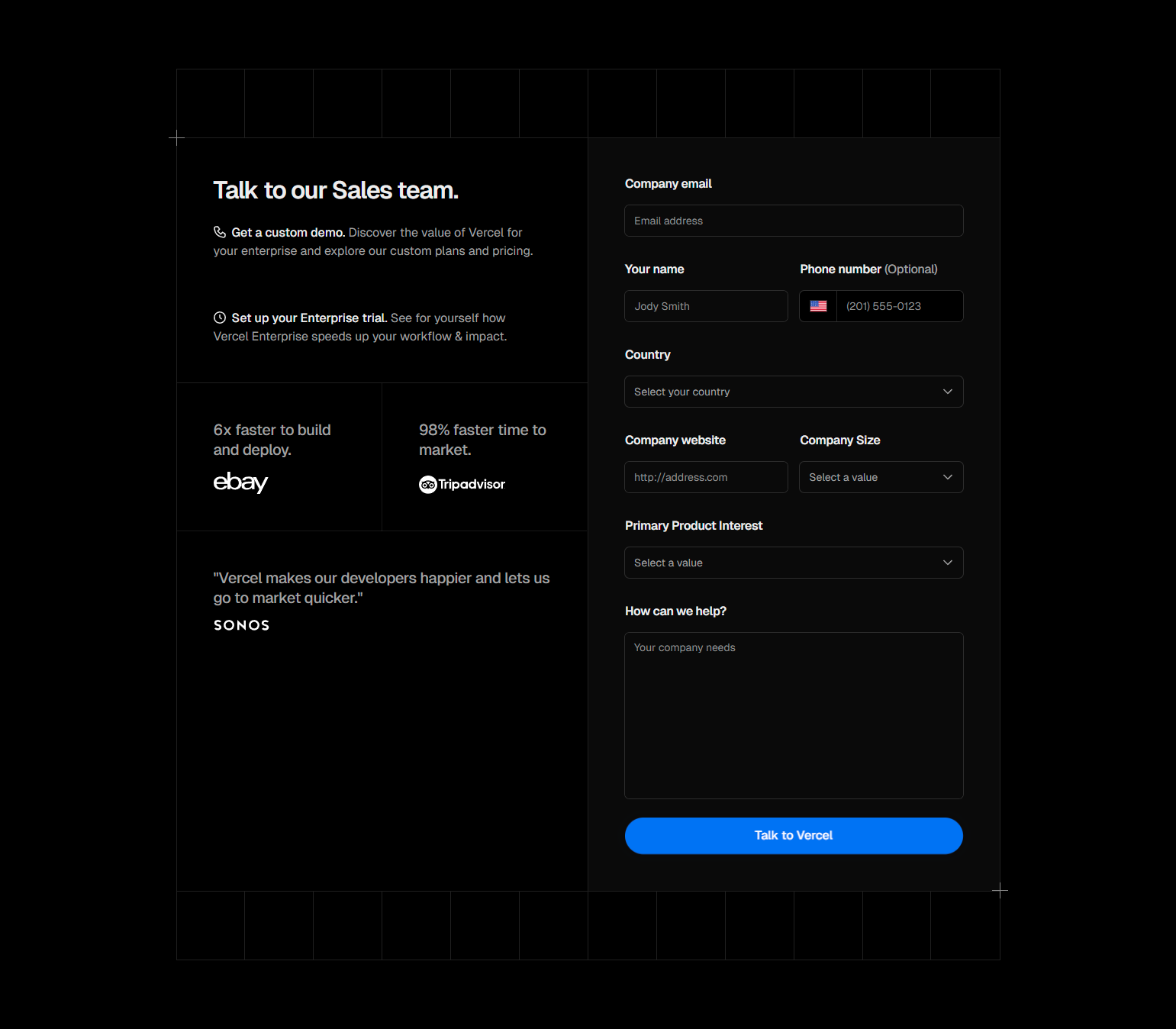
Vercel’s enterprise contact page is deliberately minimal: company, email, use case (free text), and submit. No dropdown menus, no check boxes. The long-form “use case” field lets prospects express nuanced situations that dropdown options can’t capture.
22. Netlify — Support-oriented contact structure
Netlify separates contact paths: “Sales inquiry” (form), “Technical question” (docs), “Billing question” (account). The routing is done through navigation tabs before the form appears. Prospects don’t fill a generic form and hope their query reaches the right team.
23. GitLab — Multiple contact paths on one page
GitLab’s contact page offers five paths: Sales, Support, Partners, Press, and General. Each links to a different form or team. For a large open-source company with a diverse stakeholder base, multi-path contact is the right design — one-size-fits-all routing wastes everyone’s time.
24. Sentry — Community support + enterprise form
Sentry’s contact page separates community support (GitHub discussions, Discord) from enterprise contact. The separation respects the developer-community culture — not every question requires talking to sales. Community paths are surfaced at equal visual weight.
25. Supabase — Open source path vs. enterprise path
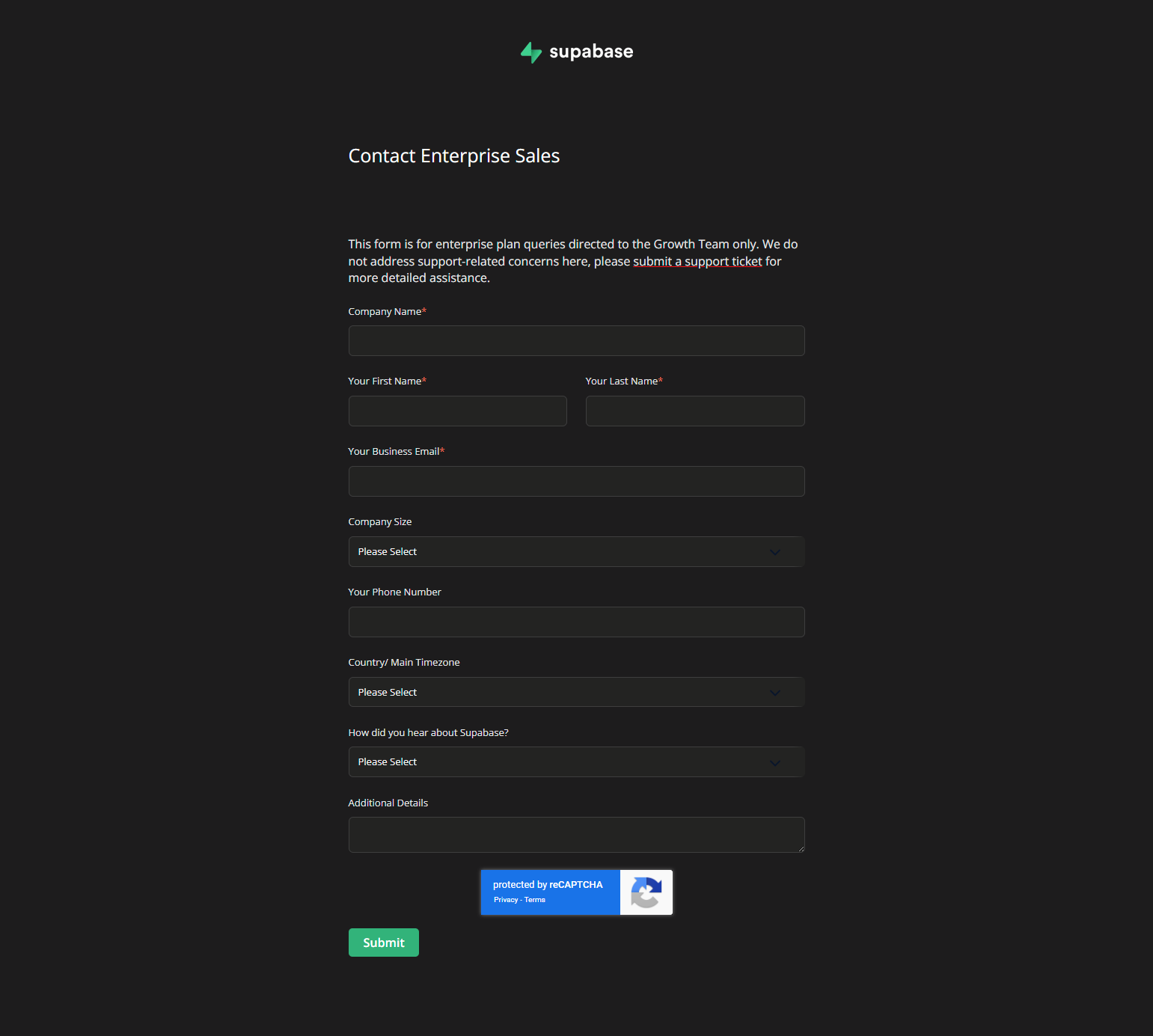
Supabase’s contact page makes the distinction explicit: open-source questions go to GitHub discussions; enterprise inquiries go to the sales form. For an open-source product with an enterprise tier, not mixing the two communities prevents sales friction from poisoning the developer community relationship.
Key Patterns from 167 Contact Sales Screenshots
1. Calendar embedding shortens the sales cycle by one asynchronous step. Every form that ends with “we’ll be in touch” adds a wait period and a back-and-forth scheduling exchange. Embedding a calendar at the end of the contact form eliminates this. Gong, Chargebee, Rippling, and Chili Piper all do this — and all have sales velocity metrics that reward it.
2. Qualification questions should result in visible routing differences. If the form asks about company size but everyone gets the same email response, the question is theater. Prospects who answered “5,000 employees” and get the same SMB follow-up email as prospects with 50 feel unseen. Visible routing differences (different confirmation messages, different calendar types, different demo content) prove the form is real.
3. “What happens next” content reduces form abandonment. Contact pages that explain the next steps (“1-hour response, 30-minute demo, custom proposal within 48 hours”) convert better than those that say “fill out the form.” Uncertainty about what happens after submission creates hesitation. Certainty removes it.
4. Social proof at the contact page validates the enterprise decision. A prospect who has evaluated the product for two weeks and is now contacting sales is close to a decision. A case study from a recognizable company at the contact page pushes them over the threshold.
5. Self-serve deflection on contact pages is appropriate and honest. Products that say “you might not need to talk to us — try it free first” build more trust than products that funnel everyone into a sales conversation. Routing the wrong-size prospects away from sales is good for everyone: it shortens sales cycles and improves prospect experience.
Frequently Asked Questions
How many fields should a contact sales form have?
3-6 fields for most SaaS products. Essential fields: name, work email, company name. Optional but high-value: company size, use case, phone (if you call). Avoid: address, middle name, fax number, or any field you won’t act on in your sales process.
Should I ask for a phone number on the contact sales form?
Only if your sales team actually calls prospects. If you use the phone number, include it. If your process is demo-booking via email, skip it — a required phone field that goes unused signals process misalignment between your form and your sales motion.
How fast should I respond to a contact sales form submission?
Within 1 hour during business hours is table stakes for competitive SaaS categories. Under 5 minutes is a significant advantage — speed-to-response is one of the highest-correlation metrics with conversion rate in B2B SaaS. Calendar embedding eliminates this problem entirely.
Should the contact sales page be indexed by search engines?
Yes. Some prospects search “contact [product name]” or “[product name] enterprise pricing” and land on the contact page directly. An indexed, readable contact page also signals transparency.
Browse 167 contact sales page screenshots from real SaaS products in the SaaS Boat library. See how the best products design the bridge between marketing and sales.