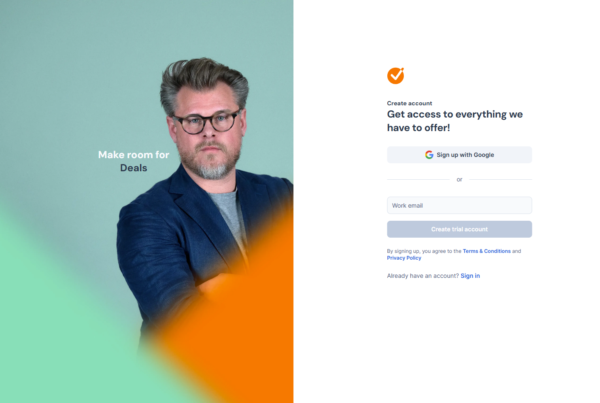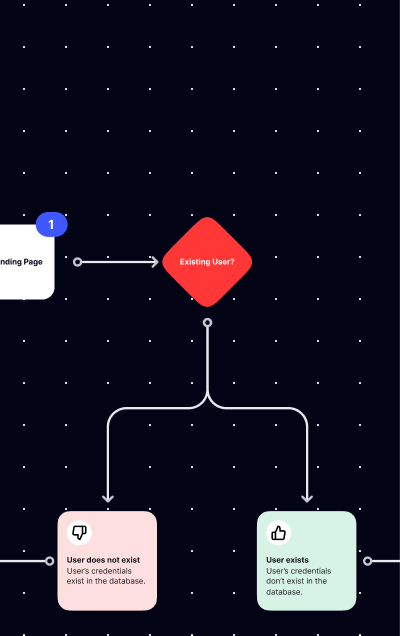
A user flow diagram is a visual map of the steps a user takes to complete a specific task or process within a product. It shows every screen, decision point, and branch in the path from entry to goal completion — whether that’s signing up for a product, booking a meeting, or completing a purchase. User flow diagrams are used by designers to document existing products, plan new features, identify friction points, and align teams on how a product works.
SaaS Boat has 412 user flow diagrams covering the signup, onboarding, login, and contact sales flows of 258 real SaaS products. Here’s what those diagrams reveal about how the best products structure their most critical flows.
 Figma
Figma Notion
 Slack
Slack Canva
Canva Calendly
 Retool
 Airtable
 Asana
Asana Loom
Loom Intercom
 Hotjar
 ClickUp
 Miro
Miro Webflow
 GitLab
 Supabase
 Vercel
 Netlify
 Chargebee
 Auth0
Auth0Why User Flow Diagrams Matter
Understanding how a product’s flows are designed is one of the fastest ways to evaluate design quality. A signup flow with 8 decision branches and 12 screens signals complexity. A contact sales flow that ends in “fill out this form and wait” signals sales process immaturity. A login flow that routes three different SSO providers through the same authentication step signals clean architecture.
User flow diagrams make these patterns visible. They reveal decisions that screenshots alone can’t show — like what happens when a user abandons a step, or how the system responds to an invalid email at signup.
40 User Flow Examples from Real SaaS Products
Signup Flows
1. Figma — 3-step, no-friction signup
Figma’s signup flow is one of the shortest in our library: sign up with Google/email, verify email, enter the canvas. No role selection, no template wizard, no team setup. Figma gets users into the product in under 60 seconds. Every additional step is deferred to post-first-use.
See Figma’s full user flow diagrams on SaaS Boat
2. Notion — Template-selection as signup finale
Notion’s signup ends with template selection, which pre-populates the workspace. The sequence: create account → verify email → “What will you use Notion for?” → select templates → enter workspace. The final step delivers the first value moment inside the signup flow itself.
See Notion’s user flow diagrams on SaaS Boat
3. Slack — Workspace-creation integrated signup
Slack’s signup is also workspace creation: email → verify → create workspace → name workspace → invite teammates → enter workspace. Creating the workspace IS signup. The flow is longer but delivers a fully functional product at the end.
See Slack’s user flow diagrams on SaaS Boat
4. Canva — Visual use-case selection flow
Canva’s signup: email/Google → “What will you use Canva for?” (large visual tiles) → account created → enter editor with appropriate template. The visual tile selection step is fast (one click) and personalizes the result immediately. 4 steps, fully personalized output.
See Canva’s user flow diagrams on SaaS Boat
5. Calendly — Availability setup embedded in signup
Calendly: create account → verify → set availability (days, hours) → create scheduling link → share. The flow ends with a shareable link in the user’s hands — the product’s core value delivered during signup.
See Calendly’s user flow diagrams on SaaS Boat
6. Retool — “What are you building?” single-question flow
Retool: email signup → one question (“What will you build?”) → select answer → workspace with relevant template opens. One question, personalized result, no bloat. The most efficient non-trivial personalization flow in our library.
See Retool’s user flow diagrams on SaaS Boat
7. Airtable — Template marketplace as signup destination
Airtable: create account → select base template (Marketing, HR, Sales, Project management, etc.) → enter populated base. The template selection makes signup feel like product configuration rather than onboarding busywork.
See Airtable’s user flow diagrams on SaaS Boat
8. Asana — Goal-selection as personalization engine
Asana: email/Google → “What does your team manage?” → workspace setup → team invitation → populated project. The goal-selection question is specific enough to generate relevant templates without being a survey.
See Asana’s user flow diagrams on SaaS Boat
9. Auth0 — Application type drives the entire onboarding path
Auth0: create account → “What type of application are you building?” → create tenant → SDK and quickstart documentation matching the application type displays. One configuration choice routes to completely different technical onboarding paths.
See Auth0’s user flow diagrams on SaaS Boat
10. Amplitude — Data source connection as signup completion
Amplitude: create account → “Connect your first data source” → choose SDK or API → instrument events → view first data. The signup is incomplete until data flows. Amplitude enforces activation during signup rather than hoping users return to configure later.
See Amplitude’s user flow diagrams on SaaS Boat
Onboarding Flows
11. Figma — Onboarding through exploration
Figma’s onboarding is opt-in: after entering the canvas, a “Get started” panel suggests first actions (invite a collaborator, import a file, start from a template) but can be dismissed. For a product with high ceiling, forcing a tutorial frustrates expert users. Optional onboarding respects experience level.
See Figma’s user flow diagrams on SaaS Boat
12. Notion — Sidebar checklist onboarding
Notion’s onboarding appears as a collapsible sidebar checklist: “Add your first page,” “Invite a teammate,” “Import existing notes.” Progress is visible and persistent. Checklist-style onboarding is effective because it provides a goal state and tracks progress toward it.
See Notion’s user flow diagrams on SaaS Boat
13. Intercom — Guided setup wizard
Intercom’s onboarding walks through installing the messenger widget, adding team members, setting up an inbox, and enabling automatic messages. Each step has a completion state and links to documentation. Complex products with multiple setup dependencies benefit from wizard-style onboarding.
See Intercom’s user flow diagrams on SaaS Boat
14. Zapier — First Zap creation as onboarding
Zapier’s onboarding IS creating the first Zap: choose a trigger app → choose a trigger event → connect the app account → choose an action app → test the Zap. The onboarding is the product. Completing onboarding means you’ve done the core product action.
See Zapier’s user flow diagrams on SaaS Boat
15. Hotjar — Script installation as first milestone
Hotjar’s onboarding centers on tracking script installation: copy the script → paste it in your website → Hotjar verifies the connection → first heatmap starts recording. The onboarding can’t end without the script working. This is correct — Hotjar without the script is useless.
See Hotjar’s user flow diagrams on SaaS Boat
16. ClickUp — Feature discovery checklist
ClickUp’s onboarding checklist covers a breadth of features: create a task, set up a view, invite a team member, install the integration, create an automation. The checklist is longer than typical — ClickUp’s value is breadth, so the onboarding covers the breadth.
See ClickUp’s user flow diagrams on SaaS Boat
17. Miro — Template workshop as first session
Miro’s onboarding suggests starting from a template category: Brainstorming, Agile, Research, Strategy. Selecting a template opens a populated board. The first onboarding session is about getting comfortable with a board — not with Miro’s UI.
See Miro’s user flow diagrams on SaaS Boat
18. Webflow — Guided first site creation
Webflow’s onboarding walks through creating the first website element: create a section, add an element, style it, publish. The sequence mirrors the product’s workflow. Complex tools need structured first-session guidance more than simple tools do.
See Webflow’s user flow diagrams on SaaS Boat
19. GitLab — Project import or creation as first step
GitLab’s onboarding offers a clear fork: import an existing project from GitHub/Bitbucket, or create a new project from a template. This immediately addresses the most common user state — “I have existing code, how do I bring it here?”
See GitLab’s user flow diagrams on SaaS Boat
20. Chargebee — Configuration wizard
Chargebee’s onboarding walks through: set up your product catalog → create your first plan → configure tax rules → connect payment gateway → create test subscription. For a billing tool, complete configuration is activation. The onboarding is comprehensive because incomplete setup means the product doesn’t work.
See Chargebee’s user flow diagrams on SaaS Boat
Login Flows
21. Figma — Google/email routing with auto-workspace detection
Figma’s login: enter email → detect if Google Workspace account → route to Google OAuth if yes, password field if no. Smart routing reduces friction for the majority (Google Workspace users) without blocking the minority (email/password users).
See Figma’s user flow diagrams on SaaS Boat
22. Slack — Workspace URL → email → password
Slack: enter workspace URL (or find workspace by email) → enter email → enter password or sign in with Google. The workspace-first step is a deliberate architecture choice — Slack is organized around workspaces, and login should be too.
See Slack’s user flow diagrams on SaaS Boat
23. Retool — Email → SSO detection → redirect
Retool: enter work email → detect SSO configuration → if SSO, redirect to IdP; if no SSO, show password field. The flow is invisible to the user: they enter their email, and Retool handles the routing. The most enterprise-appropriate login pattern.
See Retool’s user flow diagrams on SaaS Boat
24. GitLab — Provider tabs with LDAP support
GitLab: tabbed login — Standard (email/password), LDAP, and OAuth providers. Users select their auth method from tabs before entering credentials. Useful for orgs that use LDAP for some users and OAuth for others.
See GitLab’s user flow diagrams on SaaS Boat
25. Auth0 — Universal Login (their own product)
Auth0 uses Auth0 Universal Login for their own app authentication. The flow demonstrates their product’s own branding and provider configuration. Login is product documentation.
See Auth0’s user flow diagrams on SaaS Boat
26. Stytch — Passwordless magic link login
Stytch: enter email → “Check your inbox” → click magic link in email → authenticated. No password step, no 2FA prompt, no OAuth redirect. Passwordless login as the default, not an option.
See Stytch’s user flow diagrams on SaaS Boat
27. 1Password — Email + Secret Key + password
1Password: enter account email → enter Secret Key (34-character code) → enter master password → authenticated. Three-factor login that mirrors the security product’s positioning. Every step is intentional — this is what secure login looks like.
See 1Password’s user flow diagrams on SaaS Boat
28. Dashlane — Biometric-first on mobile
Dashlane’s mobile login: biometric (Face ID/fingerprint) → authenticated. On web: email → master password → 2FA. Different login flows for different contexts, with the least-friction option surfaced in the context where it’s available.
See Dashlane’s user flow diagrams on SaaS Boat
Contact Sales Flows
29. Intercom — Live chat as the contact sales entry
Intercom’s contact sales path opens their own chat widget: “Talk to us” → chat opens → real-time conversation or bot qualification. Using Intercom to handle their own sales inquiries is a living demonstration of the product’s capability.
See Intercom’s user flow diagrams on SaaS Boat
30. Figma — Form → routing → AE assignment
Figma: “Contact sales” → form (company size, use case, current plan) → submission → routed to Account Executive. The form serves as qualification and routing, not just contact collection.
See Figma’s user flow diagrams on SaaS Boat
31. Stripe — Documentation before sales
Stripe’s contact sales path routes technical questions to docs first: “Have a technical question? Start in our docs.” The contact form appears after the docs deflection CTA. Stripe prefers documentation to handle pre-sales questions at scale.
See Stripe’s user flow diagrams on SaaS Boat
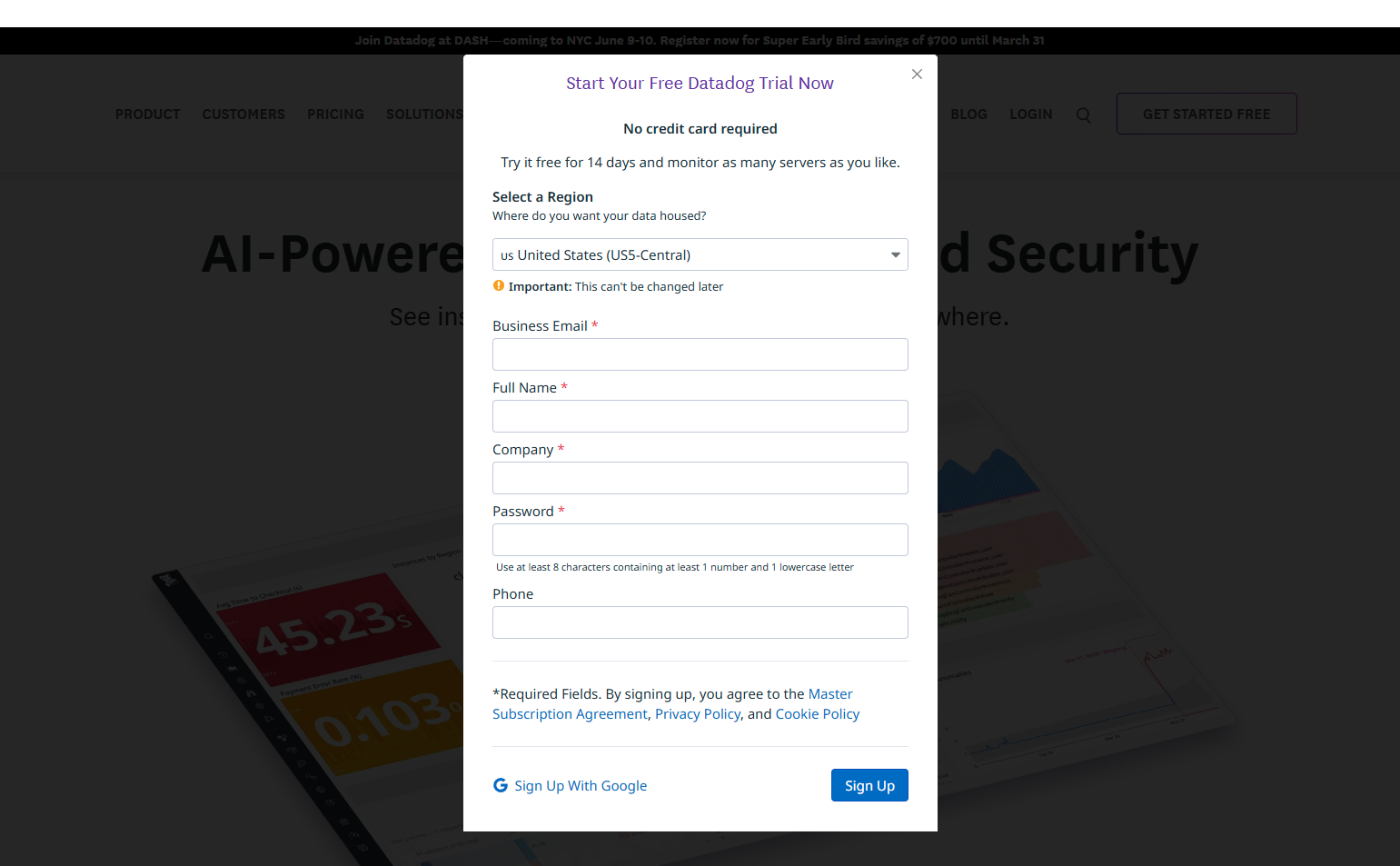
32. Datadog — “Get started with a free trial” as sales deflection
Datadog’s enterprise form is longer, but for smaller companies, the contact sales page redirects to “Try it free.” Sales deflects to self-serve for companies below the enterprise threshold, which is an efficient resource allocation choice.
See Datadog’s user flow diagrams on SaaS Boat
33. Gong — Calendar-embedded scheduling
Gong’s contact sales flow ends with a Calendly-powered scheduling link embedded in the thank-you page. Booking the demo is one click after form submission. Reducing the gap between “submit form” and “scheduled meeting” shortens the sales cycle.
See Gong’s user flow diagrams on SaaS Boat
34. Rippling — Demo booking as the primary CTA
Rippling’s contact sales = “See Rippling” → demo scheduling form → calendar booking. The “contact” is the demo. No “we’ll get back to you” — the goal is a scheduled calendar event, not a received inquiry.
See Rippling’s user flow diagrams on SaaS Boat
35. GitLab — Trial-to-sales path
GitLab’s contact sales path from the pricing page: “Sales-assisted trial” → form → “Our team will reach out in 1 business day.” The pathway is explicitly positioned as a trial with sales assistance, not a cold demo.
See GitLab’s user flow diagrams on SaaS Boat
36. Lattice — Role-qualified demo request
Lattice: “Request a demo” → form with role and company size → different demo paths for HR leaders vs. executives. Role qualification routes to different demo content: an HR demo for practitioners, an executive overview for C-suite.
See Lattice’s user flow diagrams on SaaS Boat
37. Amplitude — “Talk to sales” → qualification → segment
Amplitude’s sales form asks about data volume and team type before routing. High-volume queries go to enterprise AEs; low-volume queries get a product walkthrough CTA instead. Qualification at the form level prevents wasted sales cycles.
See Amplitude’s user flow diagrams on SaaS Boat
38. CrowdStrike — Contact → distributor routing
CrowdStrike’s contact sales path routes to their authorized reseller network for SMB customers. Enterprise customers get direct AE contact. The routing logic is visible to users, which sets expectations before the first sales conversation.
See CrowdStrike’s user flow diagrams on SaaS Boat
39. Chargebee — “Let’s talk” with live calendar
Chargebee’s enterprise contact path embeds a calendar directly on the page — no form, no waiting. Users who want to talk to sales can book immediately without a qualification step. This is appropriate for a product with transparent pricing where qualification is less critical.
See Chargebee’s user flow diagrams on SaaS Boat
40. Hotjar — Small team vs. enterprise split at contact
Hotjar’s contact page splits immediately: “For teams under 50” gets a self-serve path; “For enterprise” gets a form and AE. The segment split happens before any contact information is collected, reducing qualification friction.
See Hotjar’s user flow diagrams on SaaS Boat
Key Insights from 412 User Flow Diagrams
1. The best signup flows deliver value inside the flow. Products with the highest activation rates don’t send users to an empty workspace after signup. They deliver a pre-populated template, a created artifact, or a configured integration during the signup sequence itself.
2. Login flows should reflect authentication reality. Developer tools should default to GitHub. Enterprise tools should detect and route SSO. Consumer tools should lead with Google. Products whose login flow doesn’t match their primary user’s authentication habits lose users at the most basic step.
3. Contact sales flows that end in scheduling outperform those that end in form submission. A form submission with “we’ll be in touch” creates an unknown wait. An embedded calendar or immediate scheduling confirmation closes the loop and shortens the sales cycle.
4. Onboarding and signup are the same flow in the best products. Treating signup and onboarding as separate sequences creates a gap where users drop off. The most effective products make the first meaningful product action the final step of signup.
5. Complex products need structured onboarding; simple products need minimal onboarding. A password manager with no onboarding is fine — install the browser extension and you’re done. A data pipeline tool with no onboarding creates a frustrating first session. Match onboarding complexity to product complexity.
Frequently Asked Questions
What is a user flow diagram used for?
User flow diagrams are used to: (1) document existing product flows for new designers or stakeholders, (2) plan new feature flows before any design starts, (3) identify where users drop off in a flow, and (4) align engineering, design, and product on how a flow should work.
What’s the difference between a user flow and a wireframe?
A user flow shows the sequence and logic — what happens when a user does X, which screen follows, what branches exist. A wireframe shows the layout and content of a single screen. User flows document the journey; wireframes document the destination.
How many steps should a signup flow have?
For self-serve SaaS: 3-5 steps. For complex enterprise SaaS (requiring integration setup or team configuration): up to 8-10. Every step beyond the minimum should deliver visible value to the user or collect information the product immediately uses.
Where can I find user flow diagrams for real SaaS products?
SaaS Boat has 412 user flow diagrams across 258 real SaaS products, covering signup, onboarding, login, and contact sales flows. Browse the diagram library to find flows for specific products or flow types.
Browse all 412 user flow diagrams from real SaaS products in the SaaS Boat diagram library. Filter by flow type (signup, onboarding, login, contact sales) to find exactly the reference you need.